How does a school administrator impersonate a teacher?
 Updated
by
Gayle McKee
Updated
by
Gayle McKee
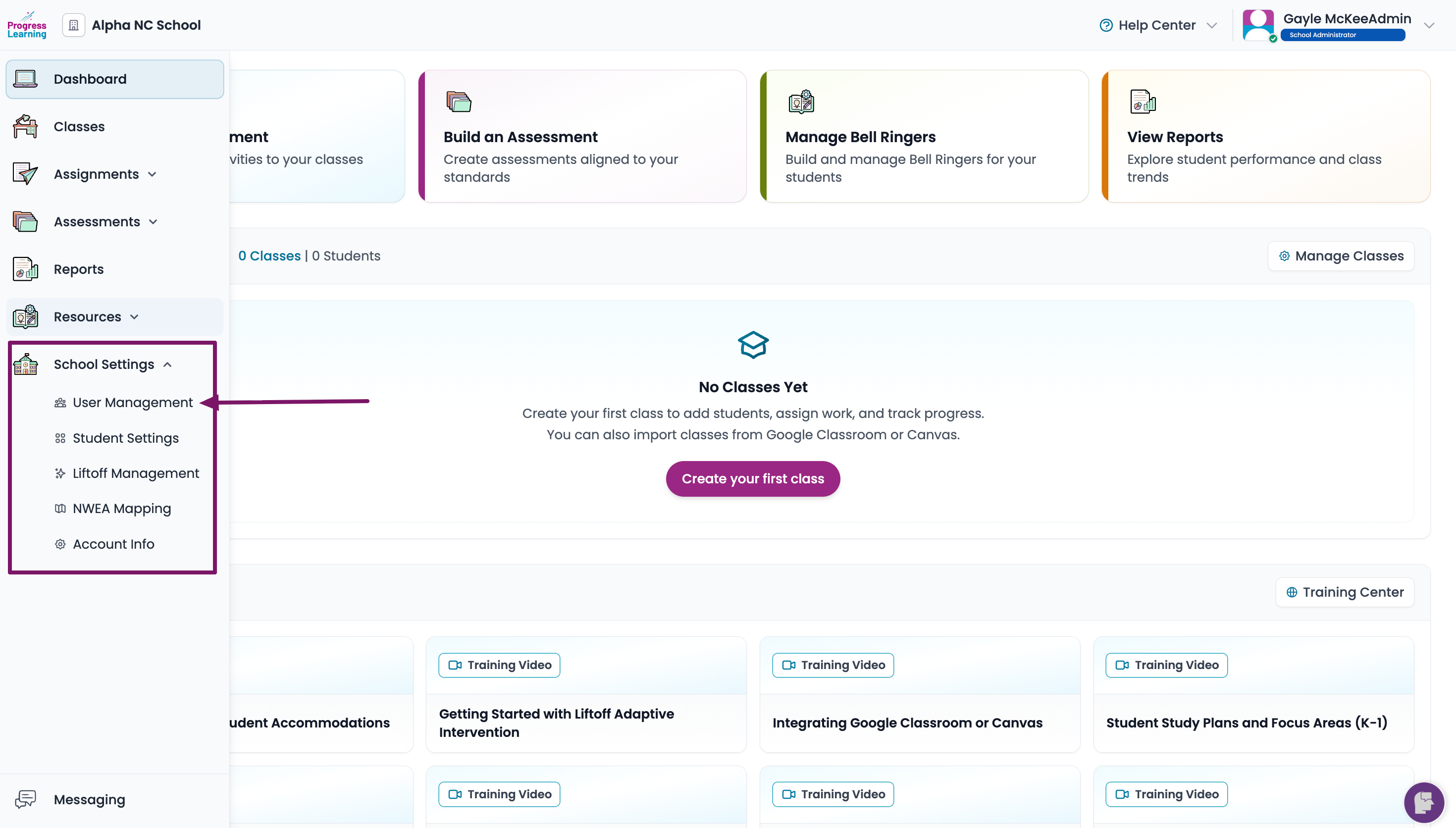
- From the home page, click School Settings from the left side menu. Select User Management.
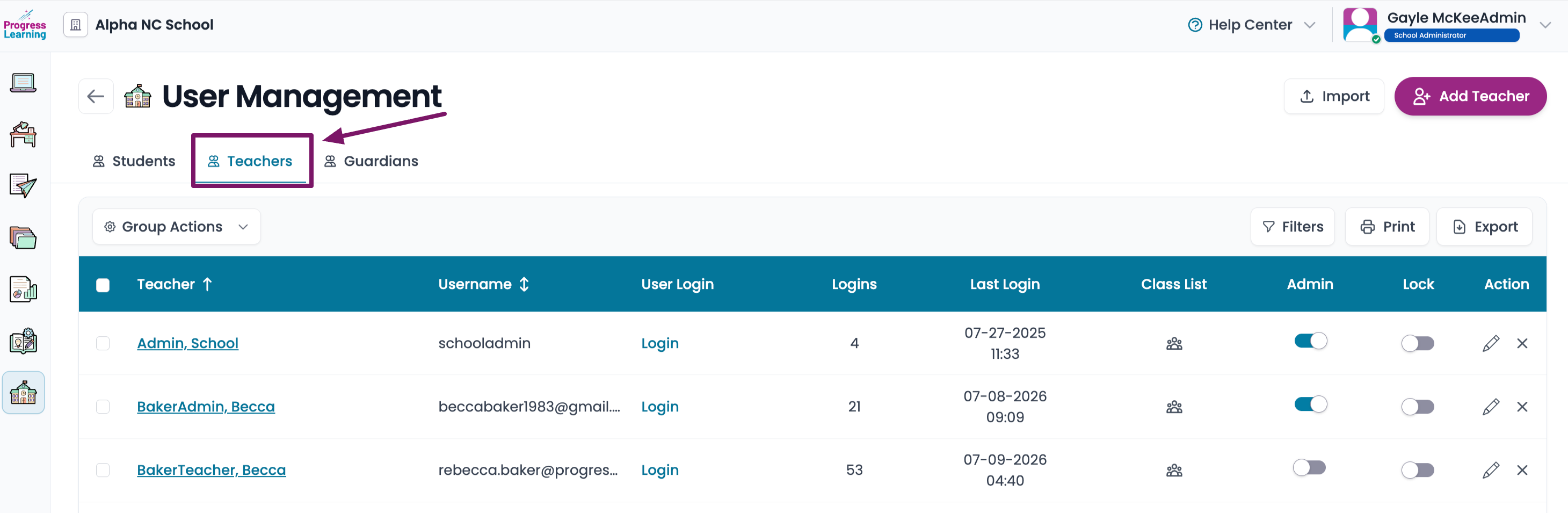
- Select the Manage Teachers tab.
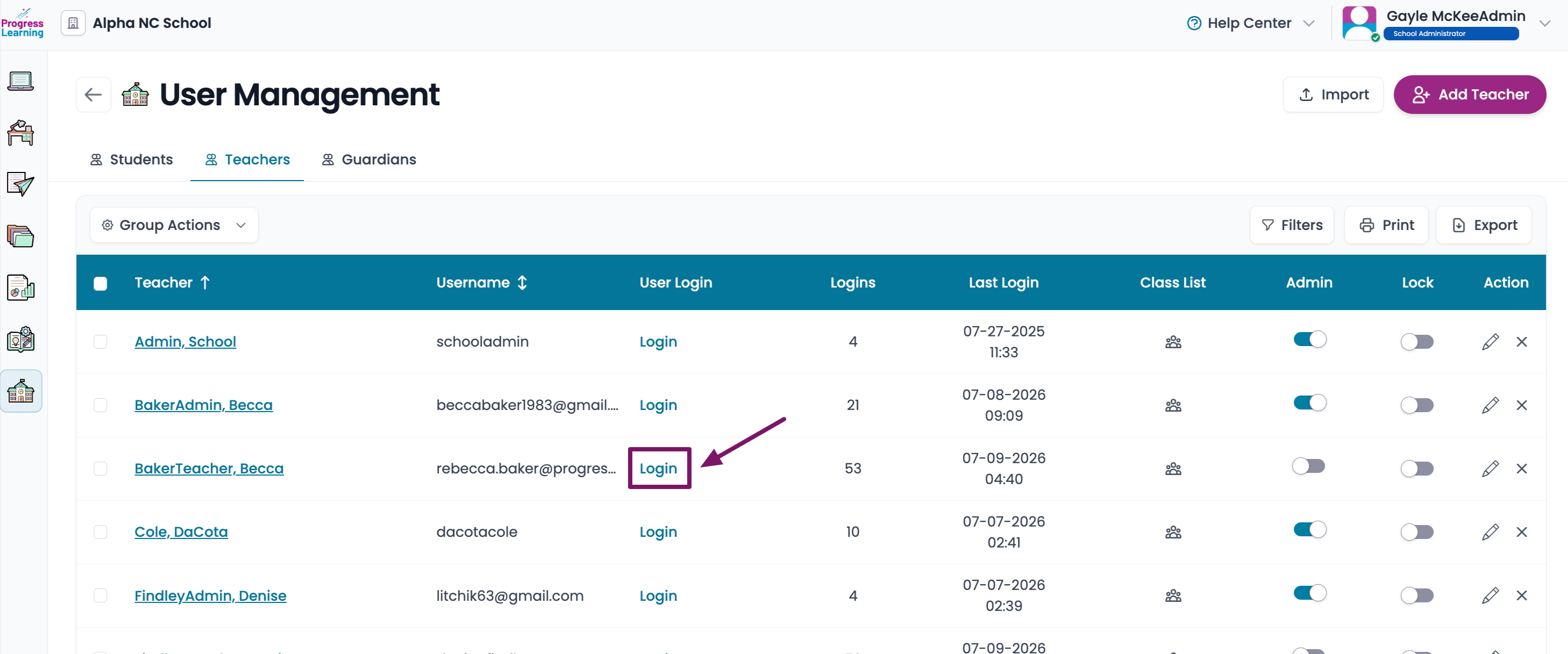
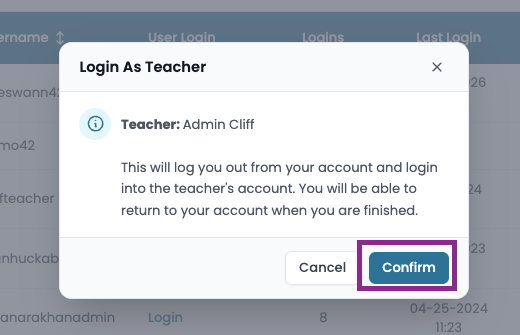
- Find the name of the teacher you would like to impersonate and click the Login button beside their name
- Click Confirm. You are impersonating the teacher. Everything that you do while you're in their account is happening in their account and does not go away once you log back in as yourself.
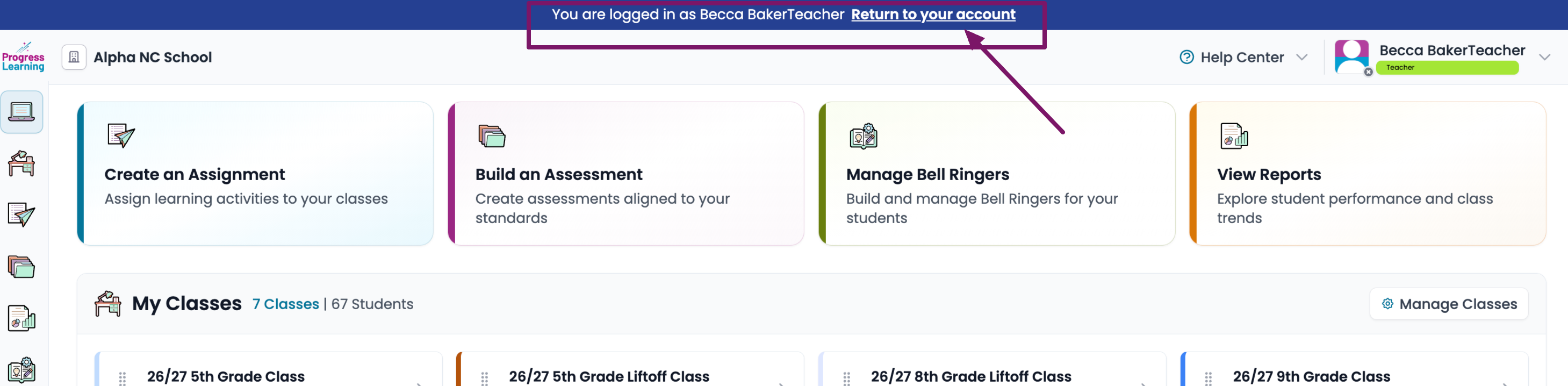
- To get back into your account, click on Return to your account at the top of the page.