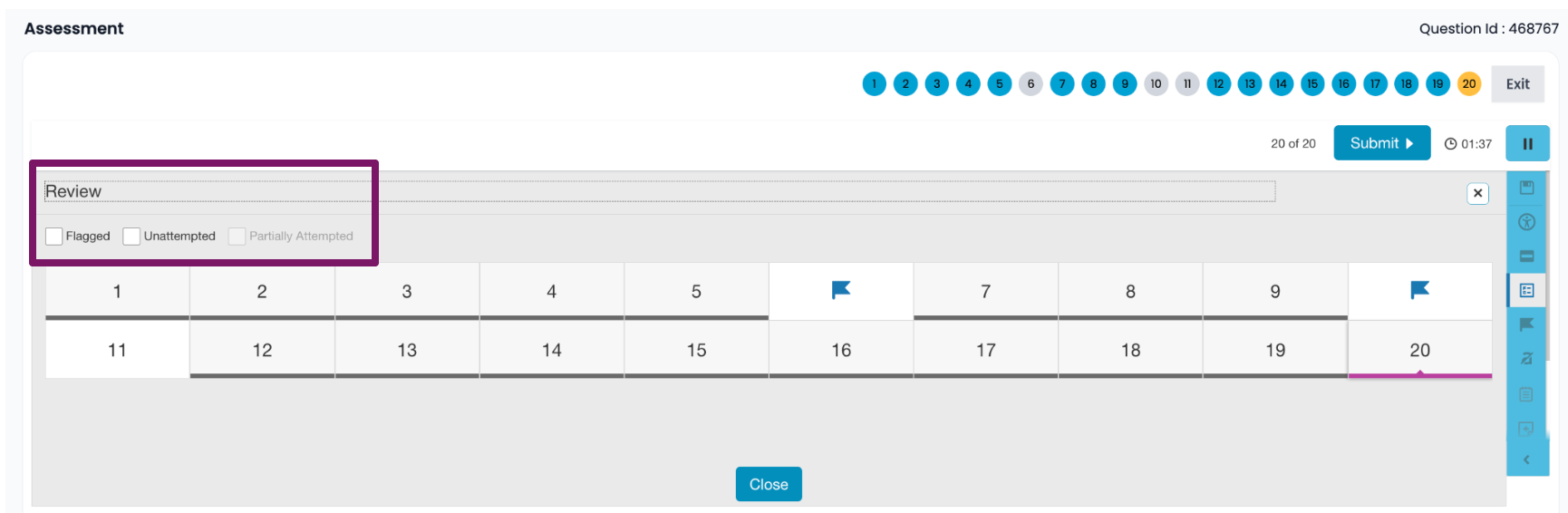
How do students review their answer choices before submitting a test?
 Updated
by
Gayle McKee
Updated
by
Gayle McKee
Students have the ability to review their answer choices during a test or an assessment. With the new review feature, students can skip questions, go back to previously answered questions, and change their answers before submitting their work.
While students are taking an assessment, a progress bar can be seen across the top of the screen. Blue boxes indicate the question has been answered, gray boxes indicate the question was skipped and a yellow box indicates the current question on which the student is working.
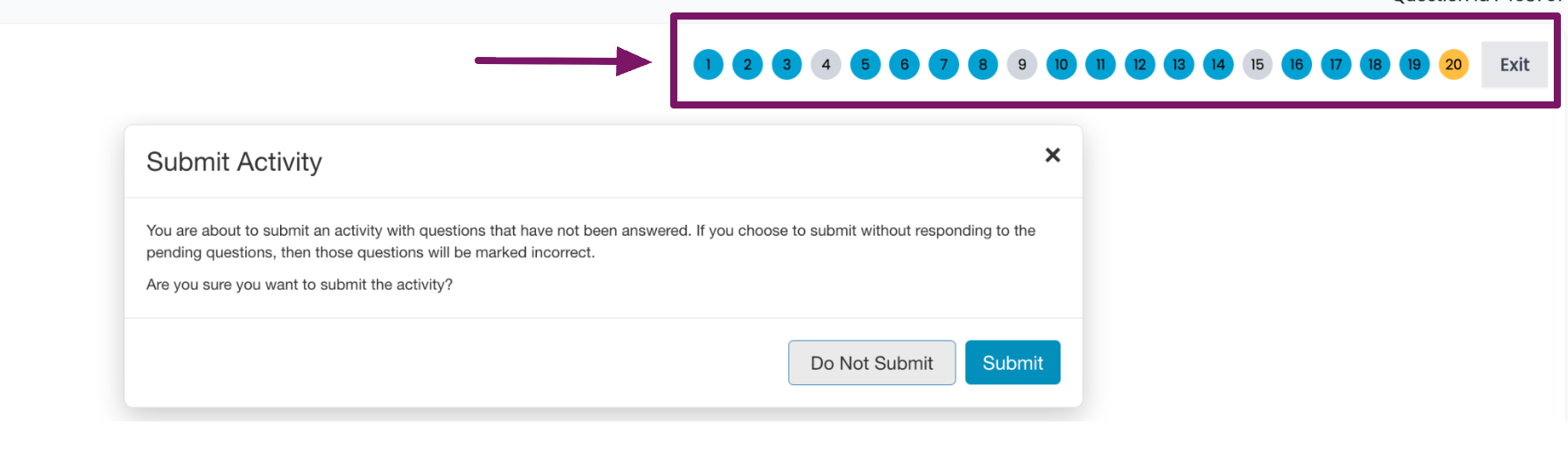
When students are prompted to choose between Do Not Submit or Submit, if they choose Do Not Submit, they will see a review bar.
Here students can filter for flagged or unatttempted questions.