Viewing and Grading an Assignment
Viewing and Grading an Assignment from the Assignment Bank
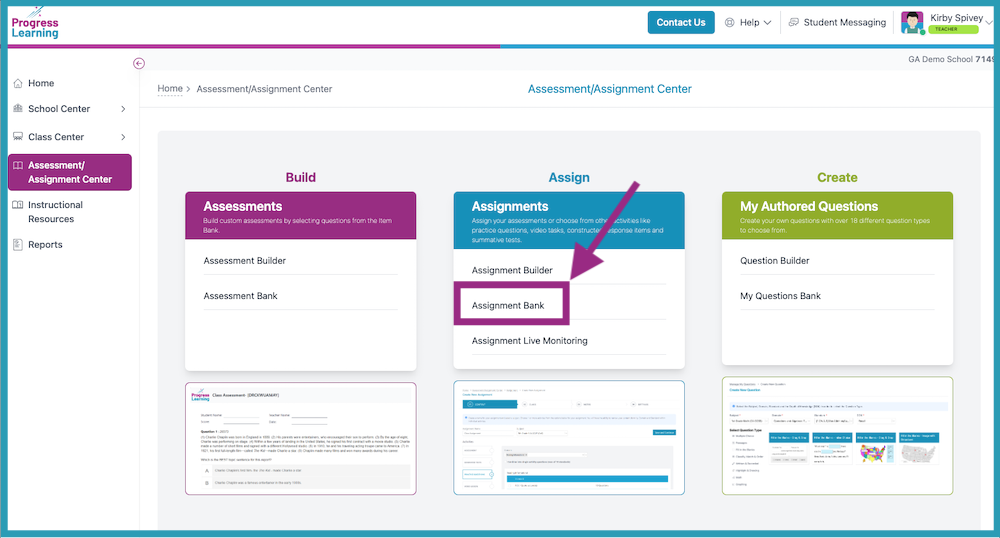
- Select Assignment Bank from the Assessment/Assignment Center.
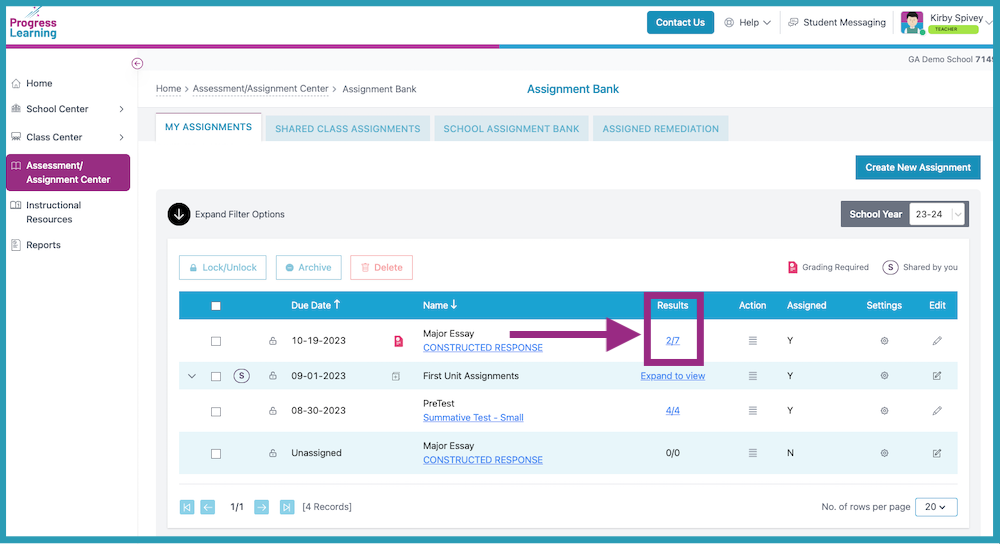
- Click on the results in the Results column to grade the submitted responses.
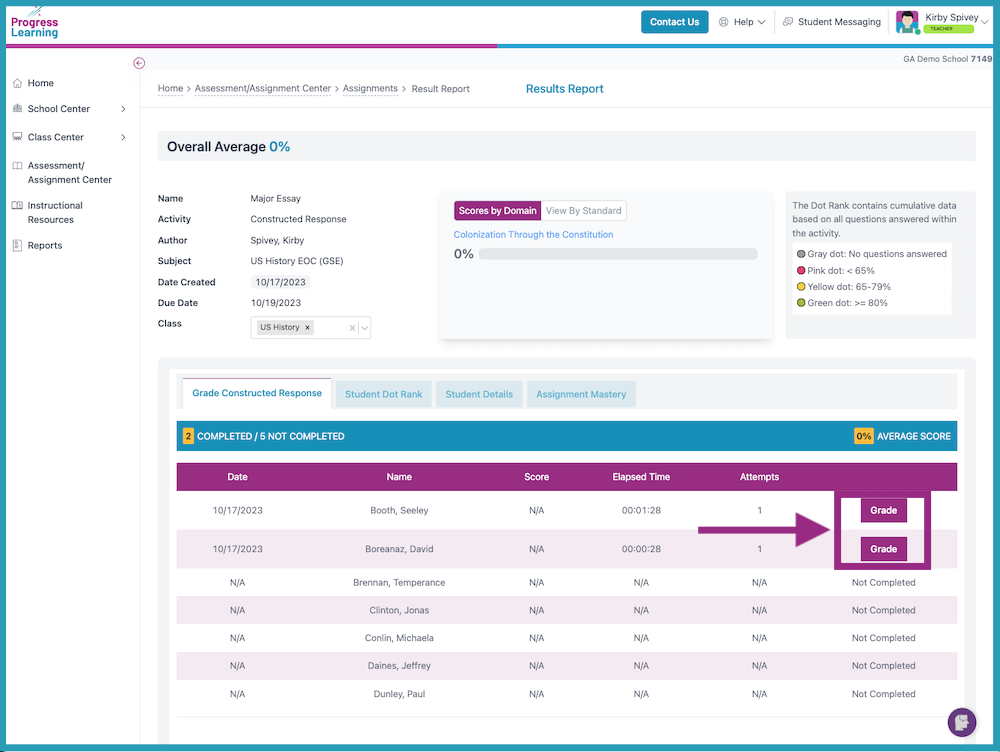
- Click the Grade button to view and score individual student responses.
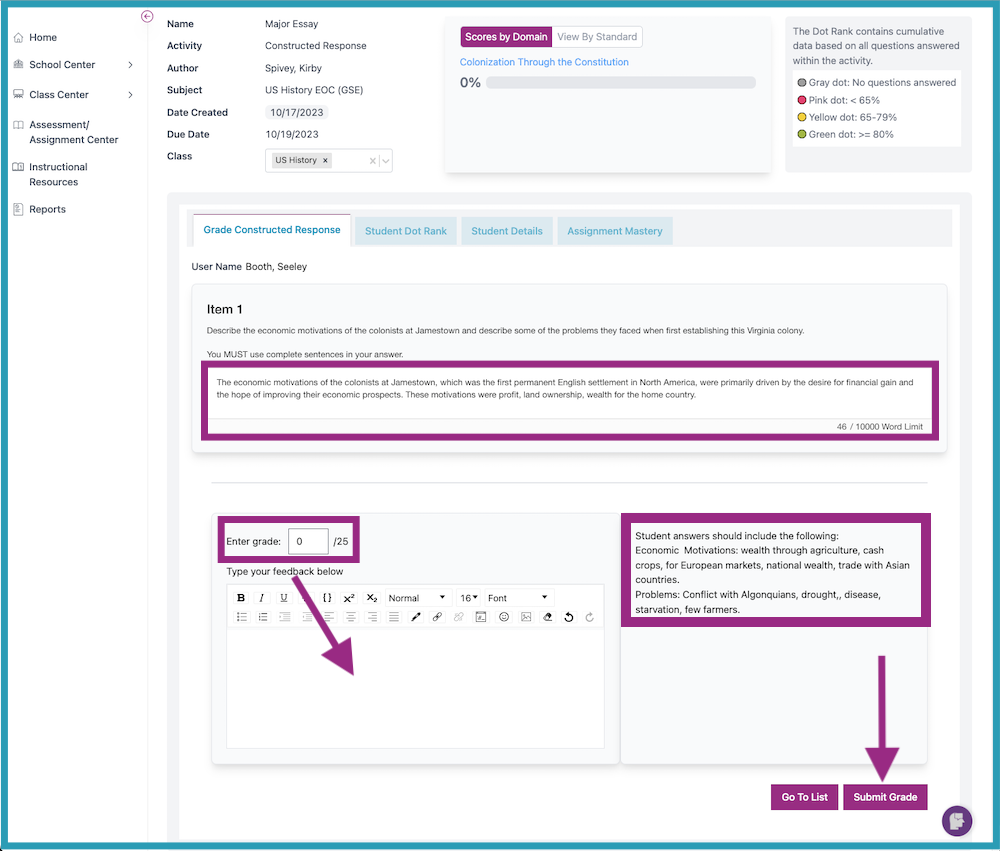
- View the student's answer. Select the grade from the dropdown. A rubric/suggested response is found to the right of the feedback and grading section. Type in any feedback (optional) for the student. Click Submit Grade. Then click Go To List to return to the screen in Step 3 (above).