What recent features and enhancements have been released in Progress Learning this school year?

Our product and development teams are working hard to implement many new features and enhancements. Below is a summary of new features and enhancements released this school year!
To get a glimpse at all the updates we made over the 2026 Summer, check out this Help Doc!
Content Management
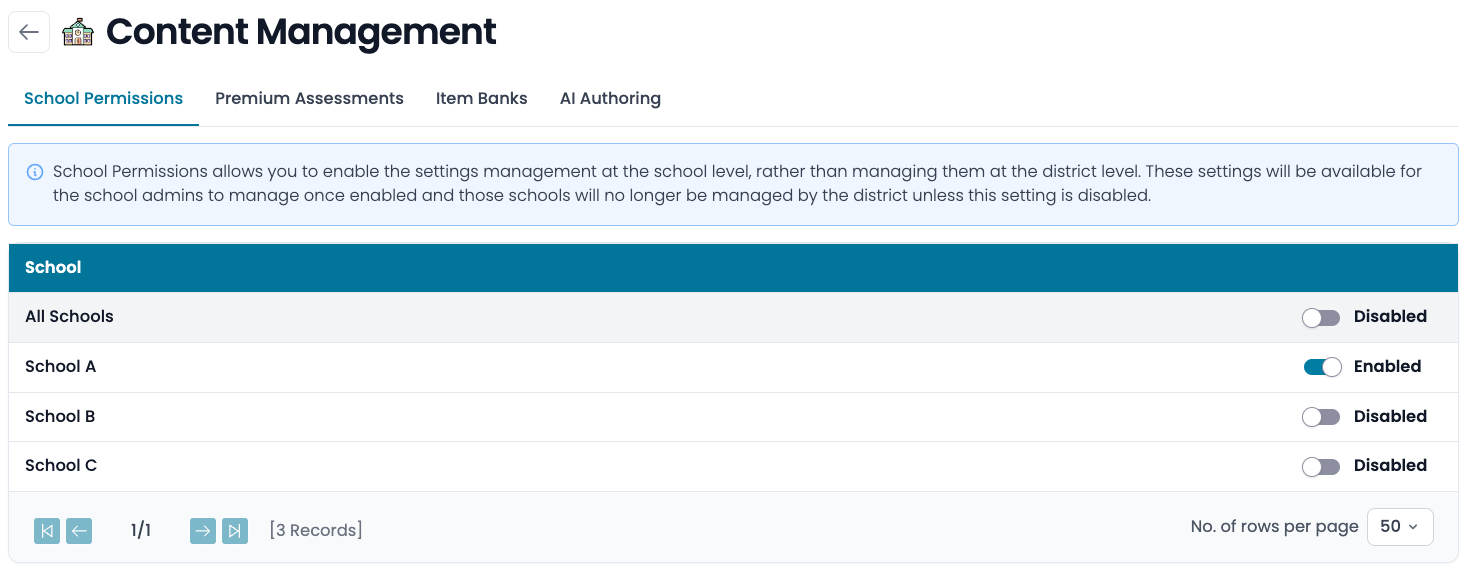
Content Management is a new area within School Settings that gives district and school administrators centralized control over who can access Premium Assessments, Item Banks, and AI Authoring. Teachers do not have access to this feature, so this is an administrator-facing permission. To learn all the features you can manage with Content Management, check out this Help Doc!
Released: September 2026
Demographic Data
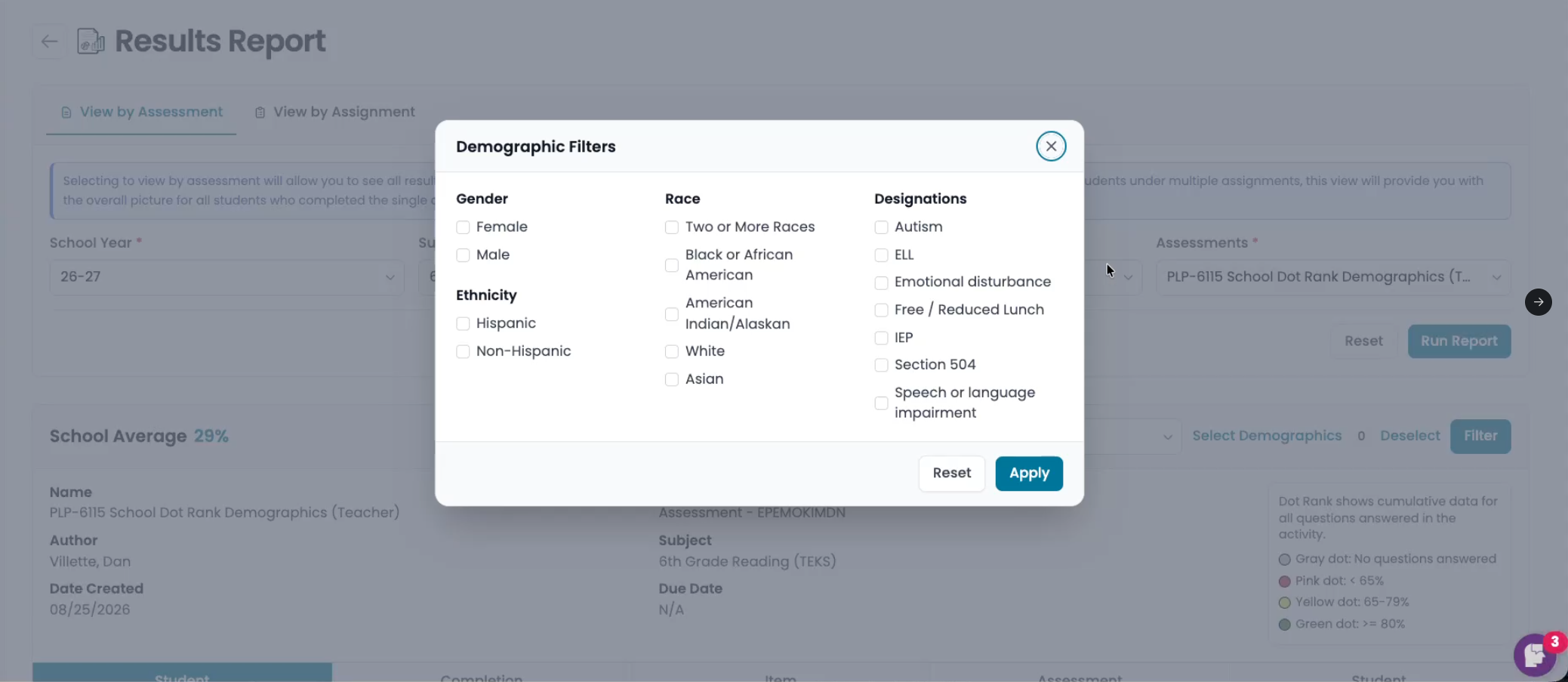
If your school or district is currently rostered through Clever or ClassLink, we now support filtering the Results Report using demographic data. You will only see the demographic data that you are sharing with Progress Learning in the same manner in which you are sharing it. We plan to include this data in the Progress Report soon and in more reports throughout the rest of the school year!
Released: September 2026
Materials and Templates
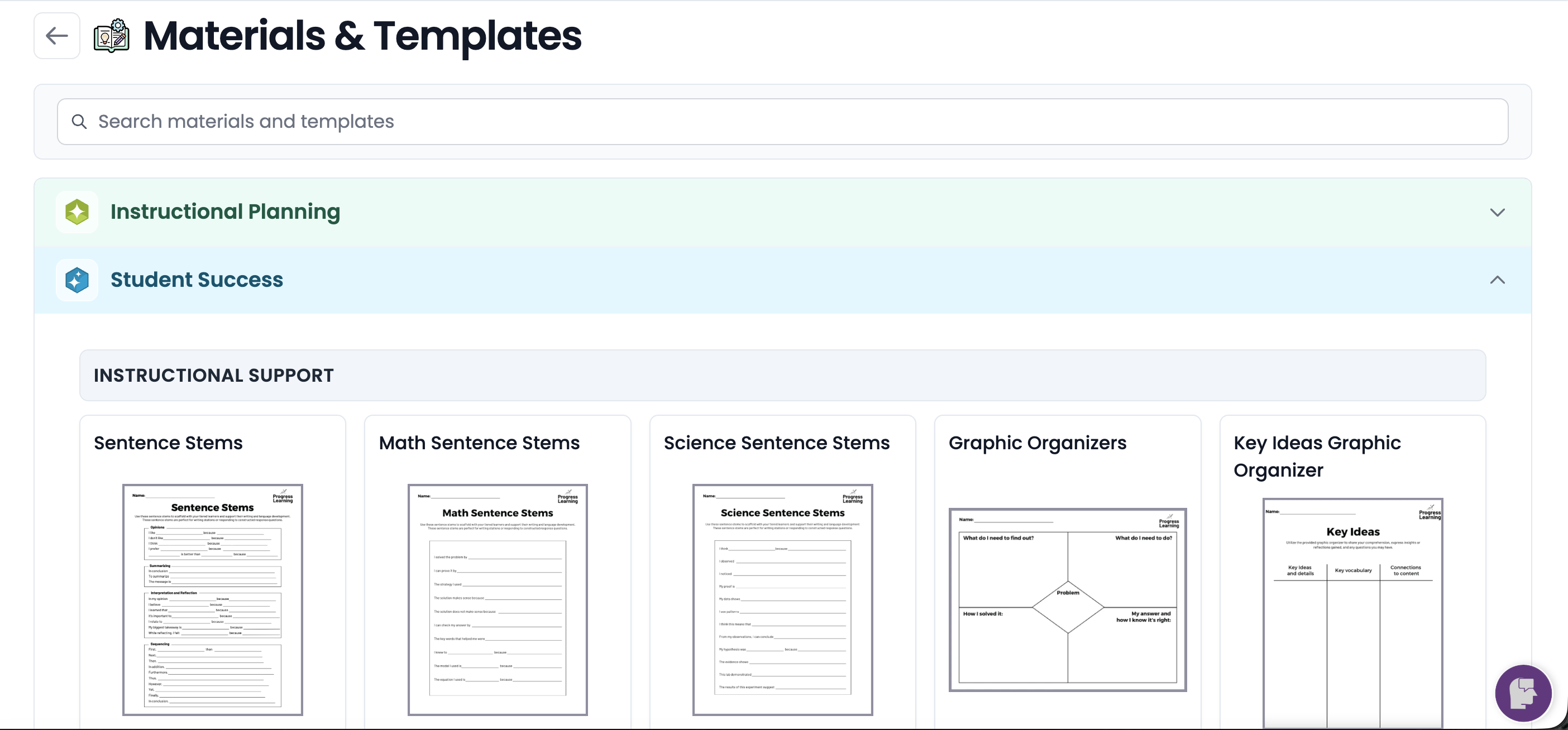
We've relocated Student Activities from the View by Subject section of Instructional Resources to a new menu option: Materials and Templates. This new section provides seamless organization for all of our helpful classroom materials and templates!
Released: August 2026
Expanded and Enhanced Live Monitoring and Live Monitoring Access
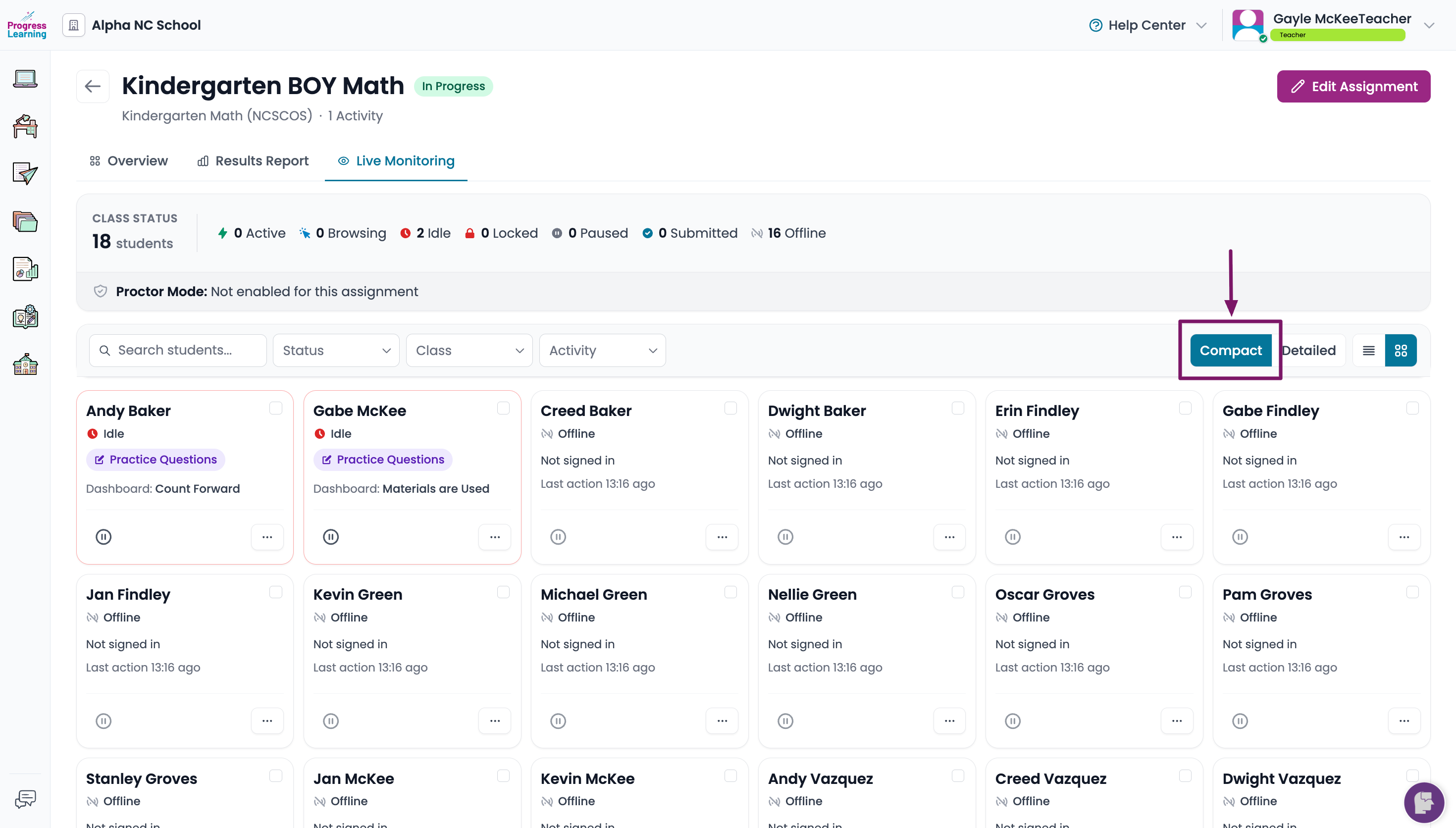
Live Monitoring gives teachers and administrators real-time visibility into student assessment activity. Educators can see which students are actively working, monitor progress during assignments and assessments, identify students who may be off task, and take immediate action when needed. You can also grant access to additional Teachers or School Admins via Live Monitoring Access in the Assignment Settings so they can view student progress as they work on their activities.
Released: August 2026
Proctor Mode
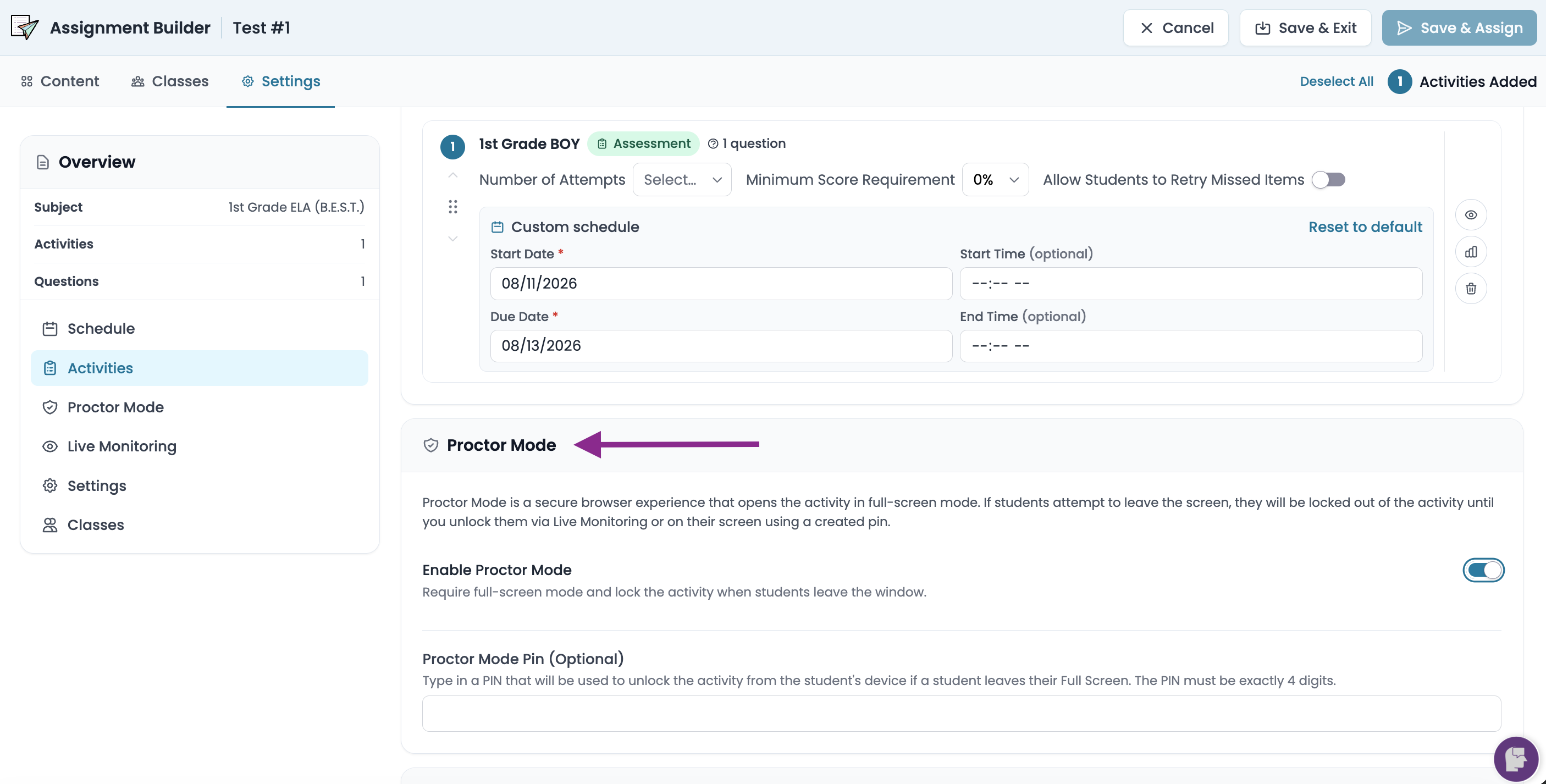
Proctor Mode is a new assignment setting designed to support more secure testing environments. When enabled, students will be notified that they are entering a secure activity. If a student leaves the secure testing environment, their activity will be locked and will require teacher intervention to continue. This setting can be enabled for any assignment you create!
Released: June 2026
Assignment Scheduling
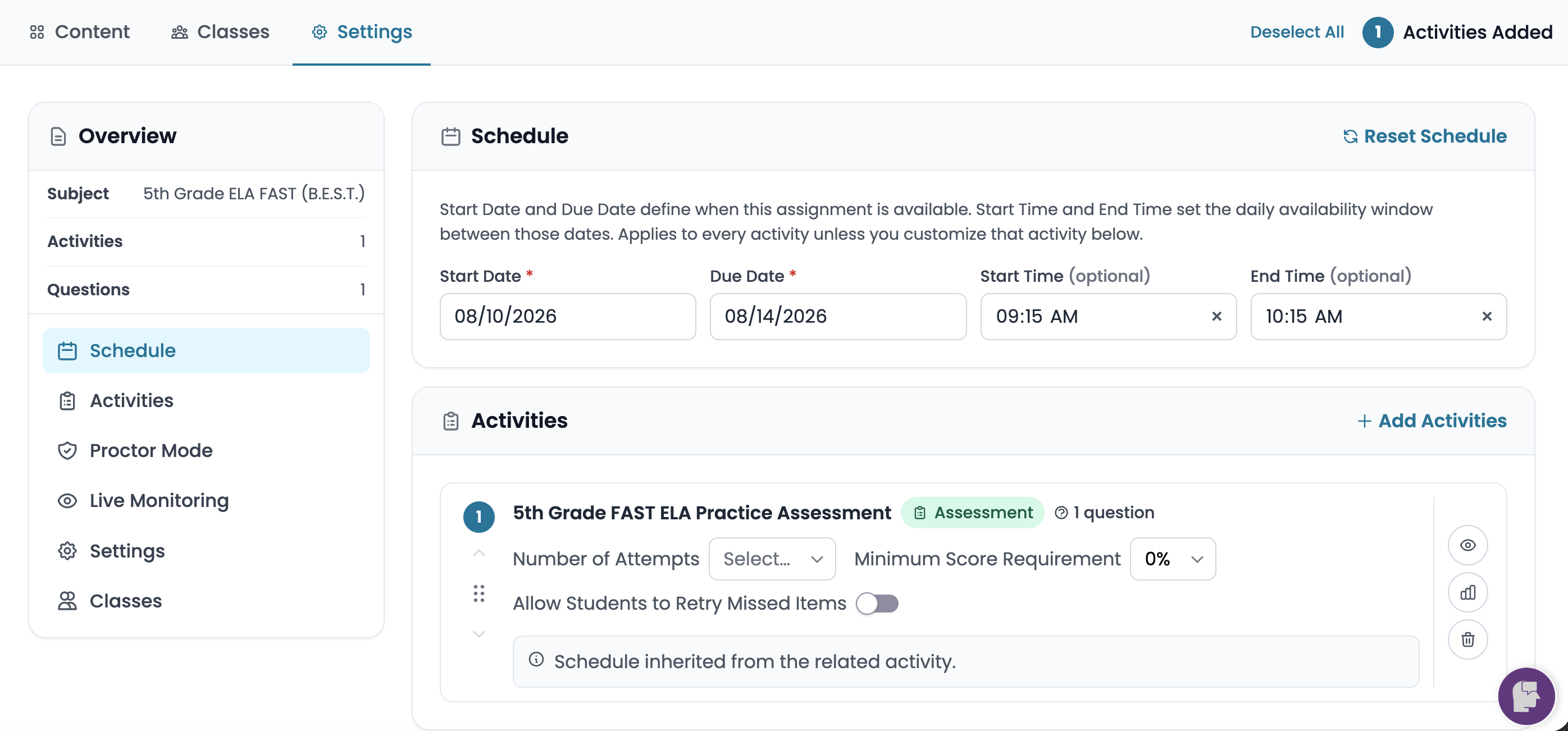
Assignment Scheduling gives you control over when each activity is available to students. Set start and end dates and times (Availability Windows). For Group Assignments, you can customize the schedule for each activity individually. Students who are actively in an assignment after the End Time has occurred will have their activity saved and exited and they will be able to continue the following day when the Start Time begins.
Released: June 2026
K-1 Student Redesign
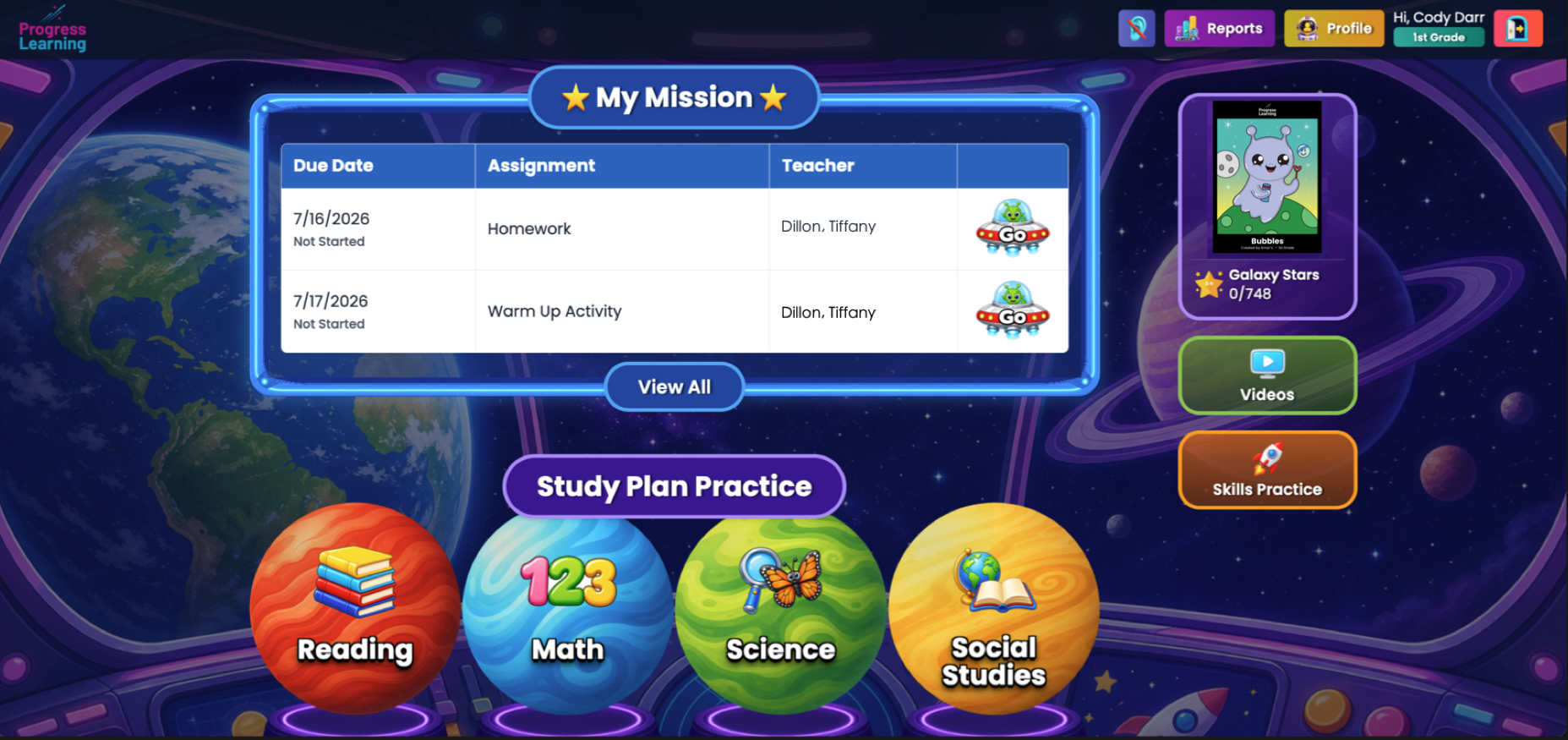
The K-1 Student Experience has been refreshed with a simpler, more engaging design that's easier for young learners to navigate. Assignments are now available on the homepage in the My Missions section. Videos and Skills Practice also have their own dedicated pages, making them easy to access directly from the homepage.
Released: June 2026
Platform Redesign
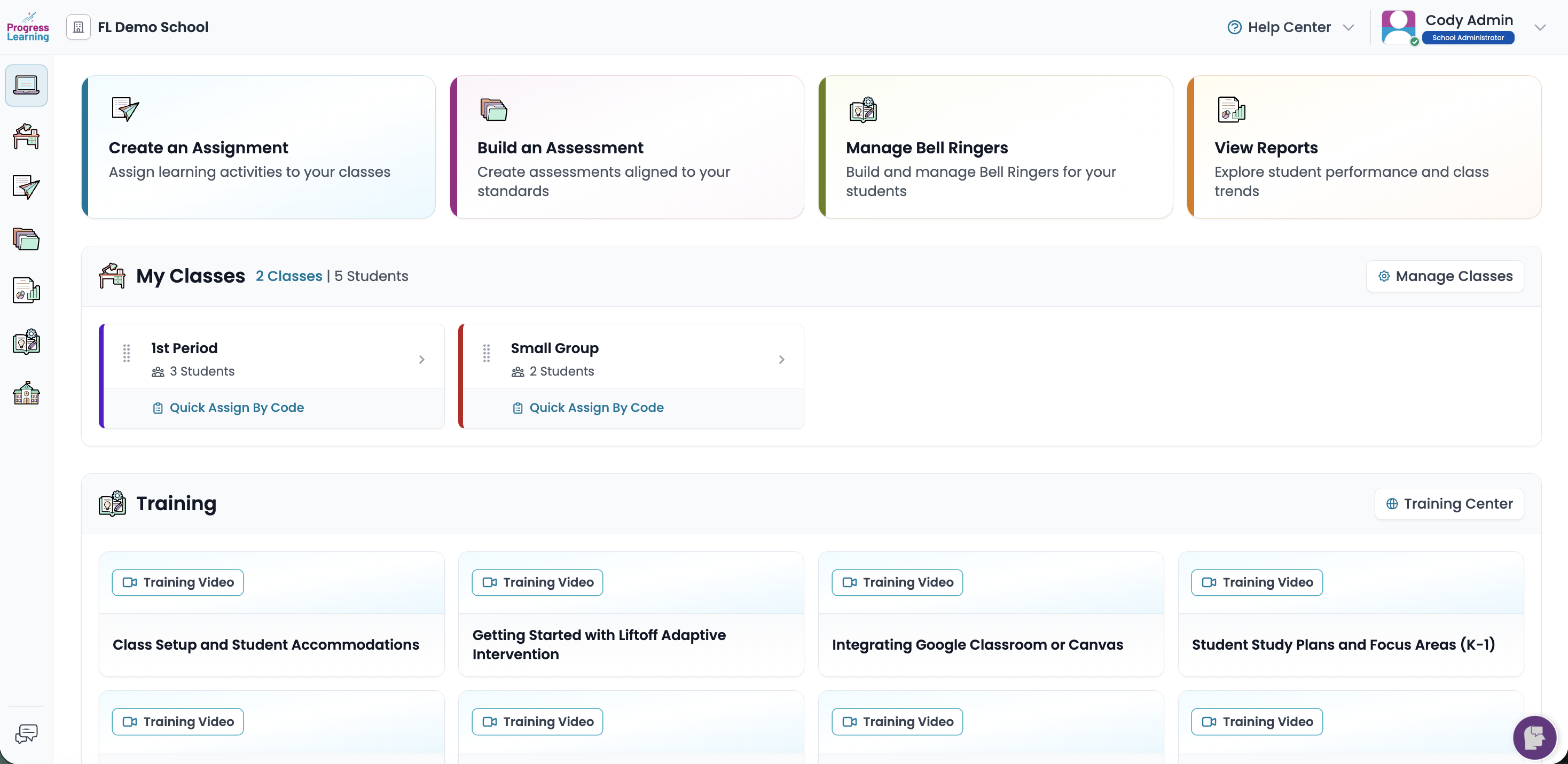
Our platform has been redesigned to help you get where you need to go faster and more easily than ever! Enjoy dedicated Class and Student Dashboards, an enhanced left navigation menu, and a more streamlined experience throughout the platform.
Released: June 2026
AI-Assisted Authoring
AI-Assisted Authoring helps educators create standards-aligned assessment questions in seconds directly within the authoring tool. Simply select the subject, domain, standard, and DOK, enter a prompt, and the AI generates a draft question that can be edited and refined before being added to an assessment. AI-generated questions can also be combined with Progress Learning's 200,000+ item bank to build customized formative and summative assessments.
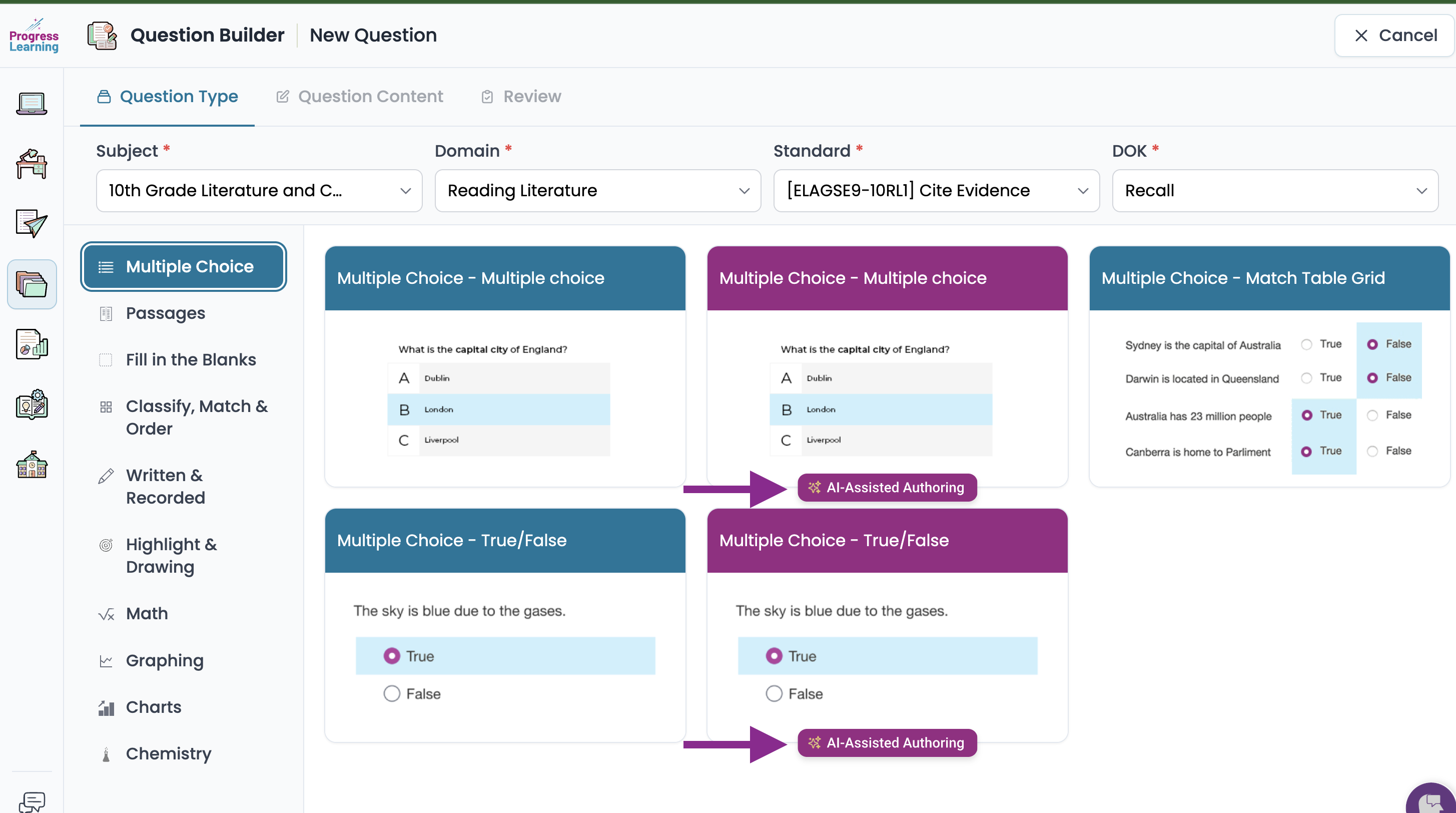
Released: June 2026
