How do I disable or lock an account?

When you disable or lock a student's account, all data remains intact for the student, but they are prevented from logging in.
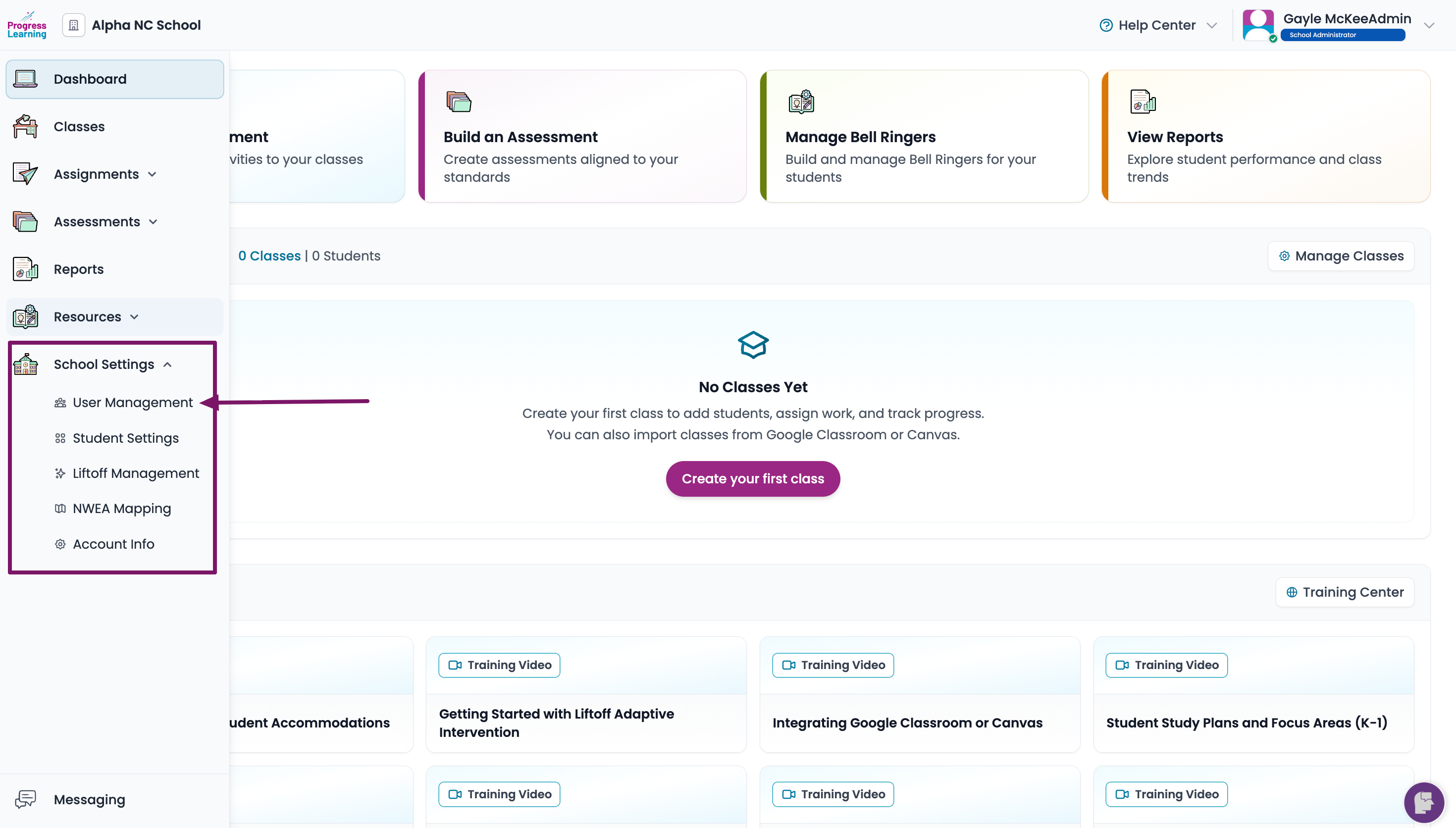
- From the home page, click School Settings from the left side menu. Select User Management.
- Click the checkbox next to a user's name that you would like to disable or lock. Then toggle the Lock option on to disable the account.
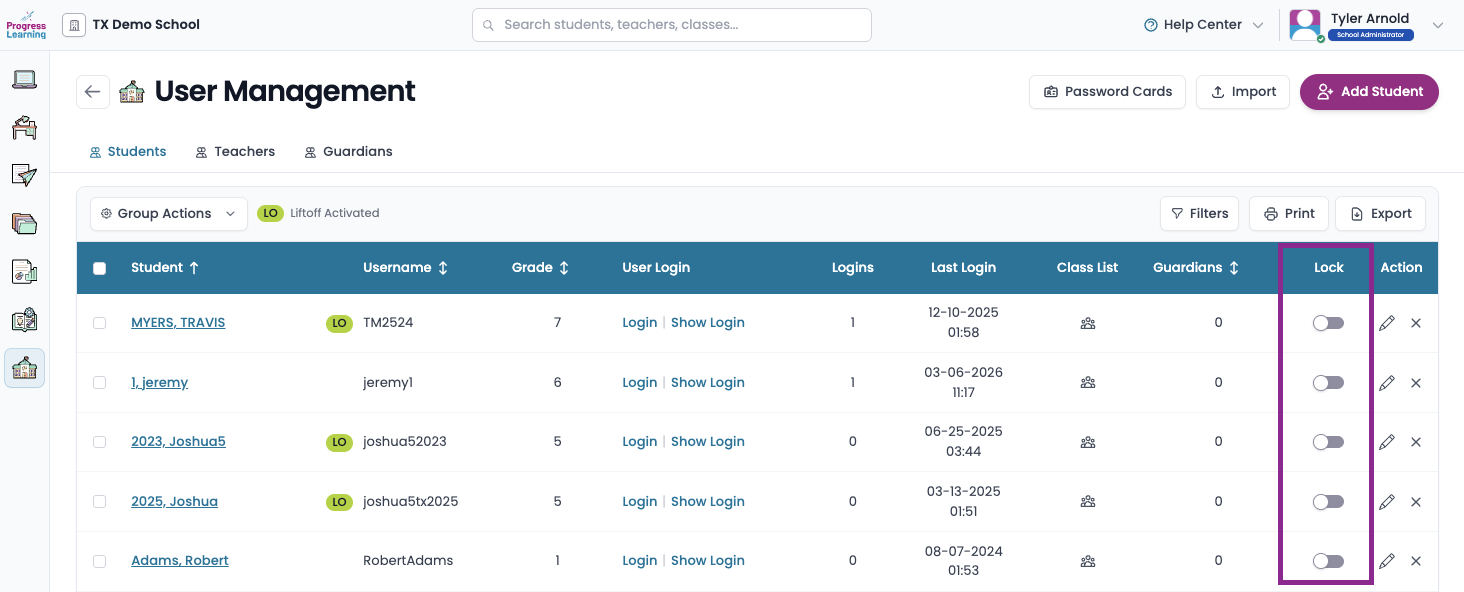
If you need to enable the account at a later time, return to the user list and click on the toggle under "Lock" to enable.
