How do I delete individual results on a Progress Learning Premium Assessment for the ACT®/SAT®?
 Updated
by
Gayle McKee
Updated
by
Gayle McKee
Do you have a situation in which you need to delete Progress Learning's ACT®/SAT® Premium Assessment results for a student or group of students so that they can re-take it? We make it easy to do so!
Deleting a test result
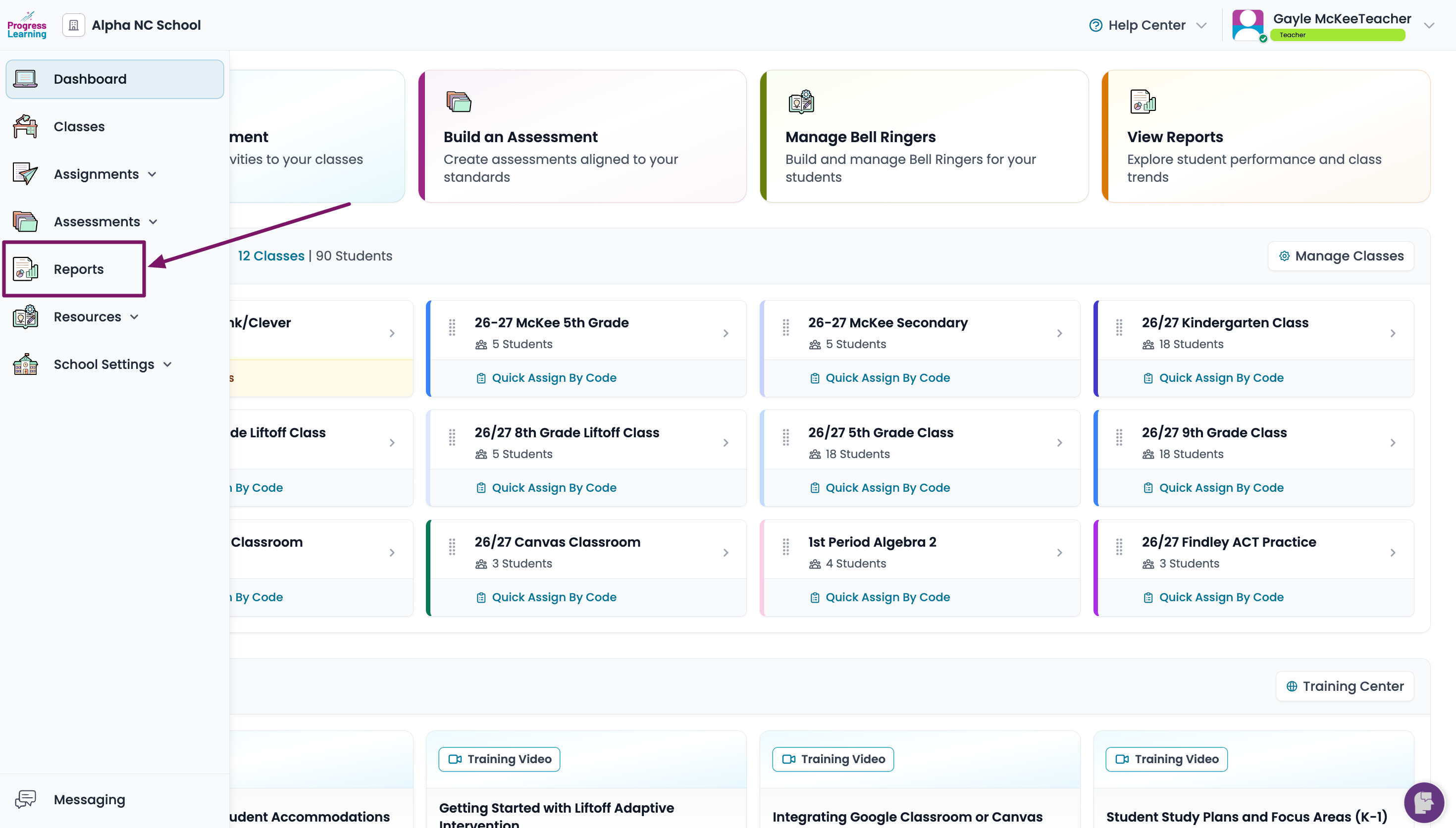
- From the left side navigation menu, click on Reports
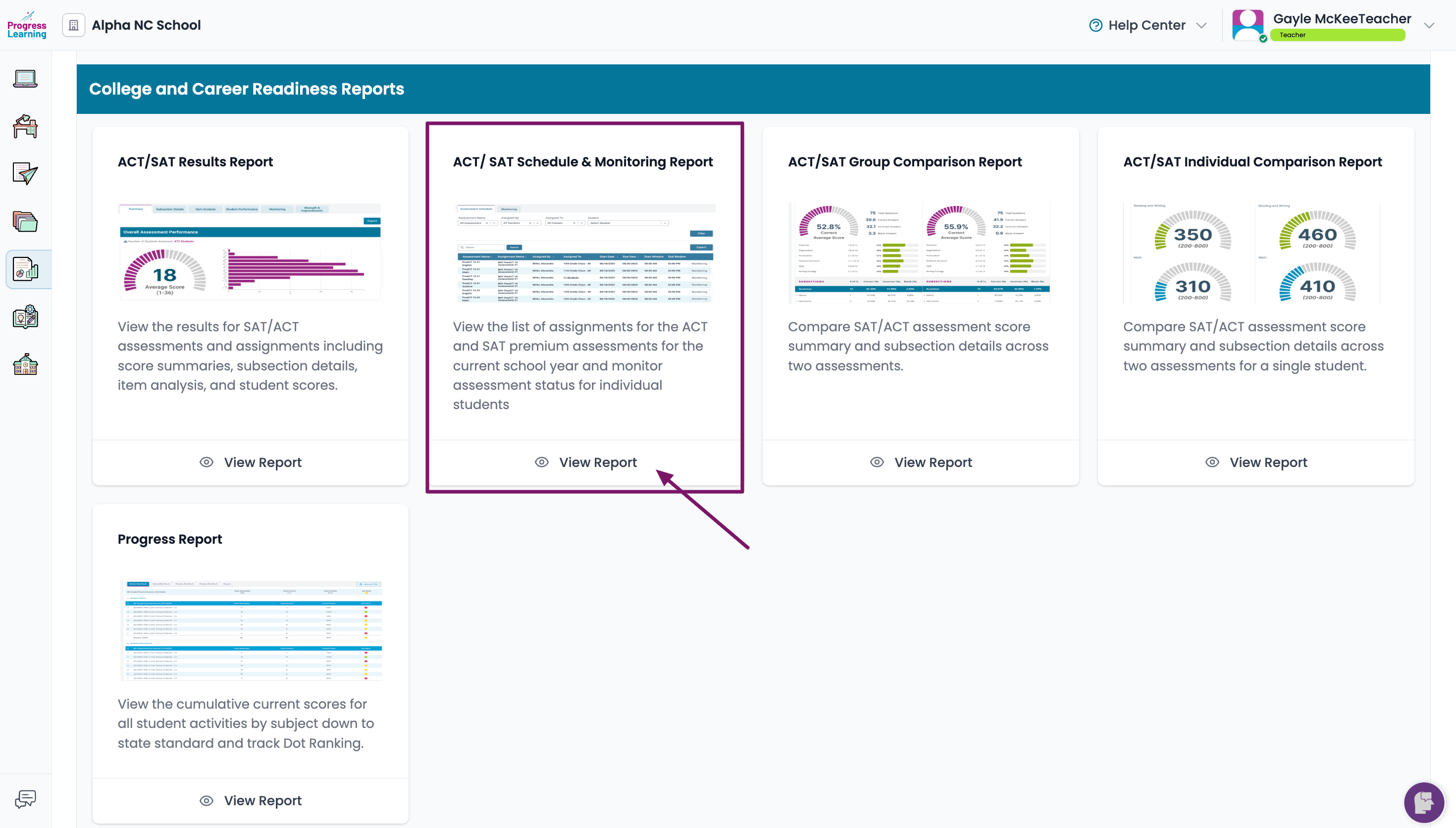
- From the College and Career Readiness report section, choose the ACT®/SAT® Scheduling and Monitoring Report
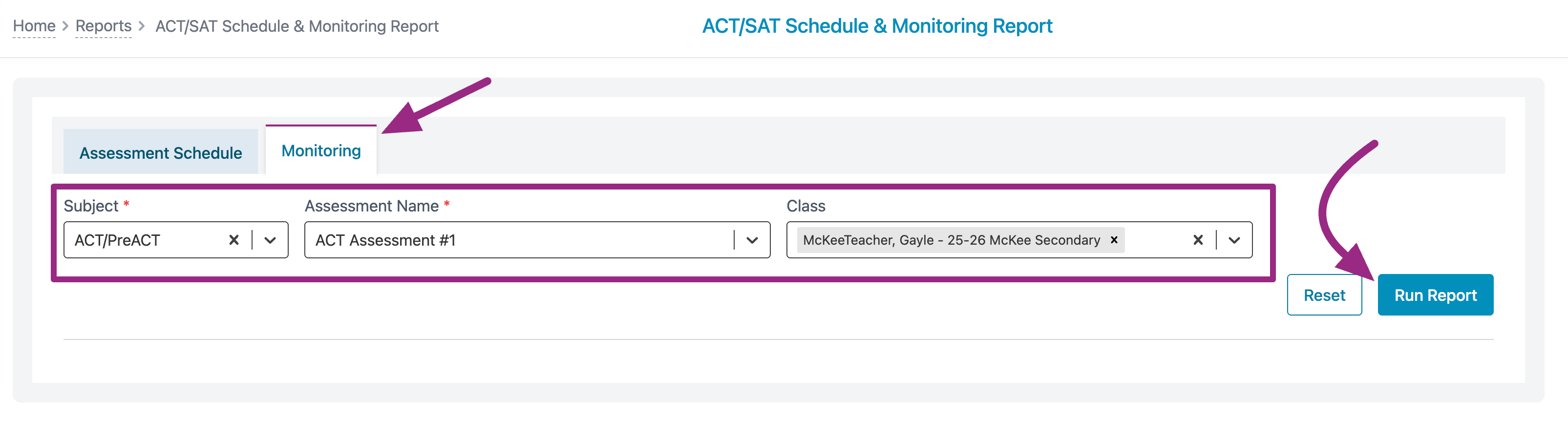
- In the Monitoring tab, use the filters to locate the test you need to delete or reset. Click on Run Report.
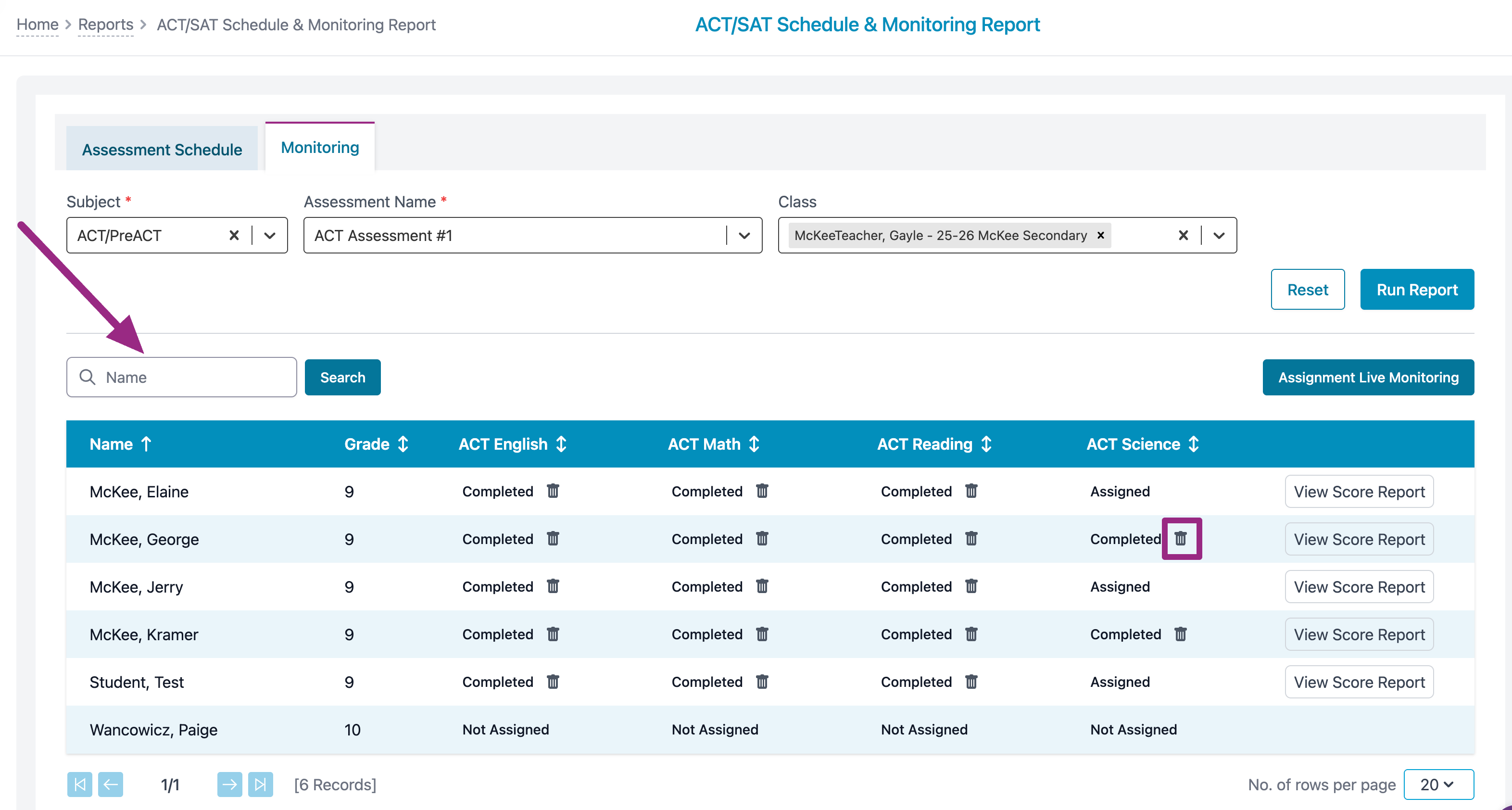
- You can search for a student by name or you can view all students in the selected class. Click on the trashcan icon to delete the test.
ACT® and PreACT® are registered trademarks of ACT Education Corp. Progress Learning is a Preferred Test Prep Provider of the ACT® test. Except for this Preferred Test Prep Provider relationship, ACT Education Corp. is not associated or affiliated with Progress Learning and does not sponsor or endorse Progress Learning's goods or services. A Progress Learning predicted assessment score is intended to approximate performance on the ACT® but may not reflect an actual ACT score.
