How do students connect their account to Google in Progress Learning?
 Updated
by
DaCota Cole
Updated
by
DaCota Cole
To use Google SSO (single sign-on), students must log in to Progress Learning with their Account ID, username, and password during their initial login.
- Navigate to app.progresslearning.com/login
- Enter your Account ID
- Enter your Username
- Enter your Password
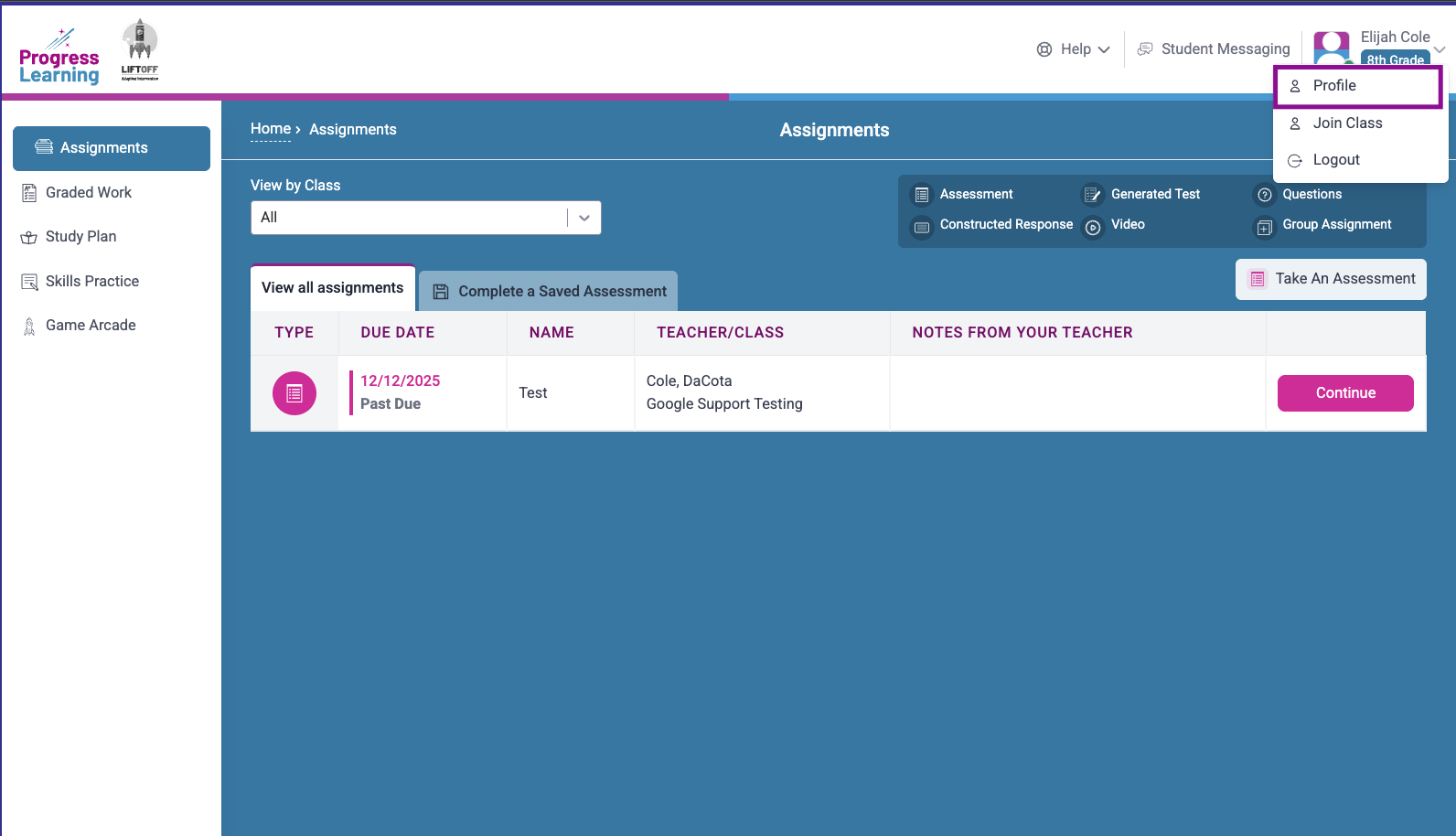
- Once you've successfully logged in, click your name at the top right of the page to navigate to your profile.
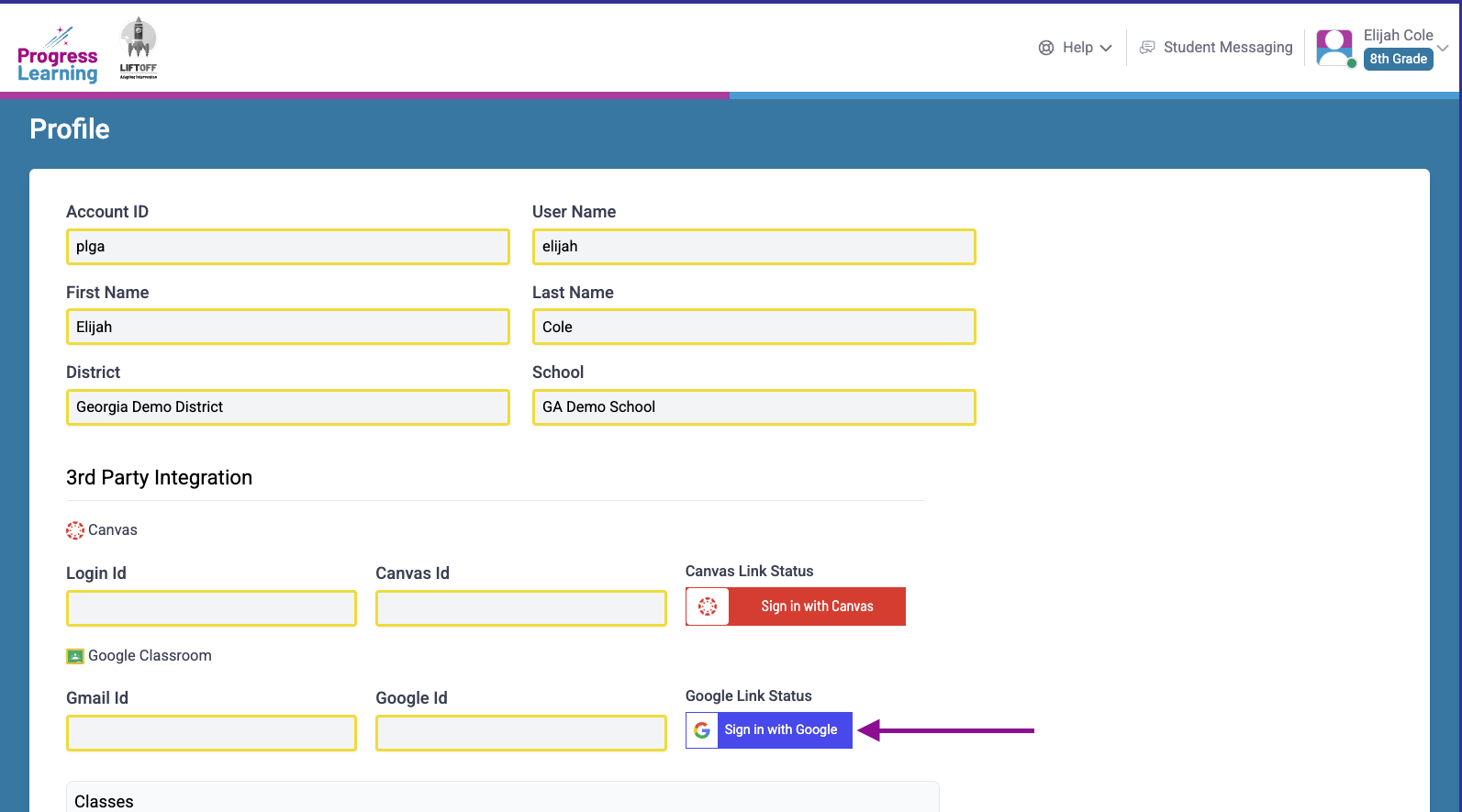
- Select the option to Sign in with Google.
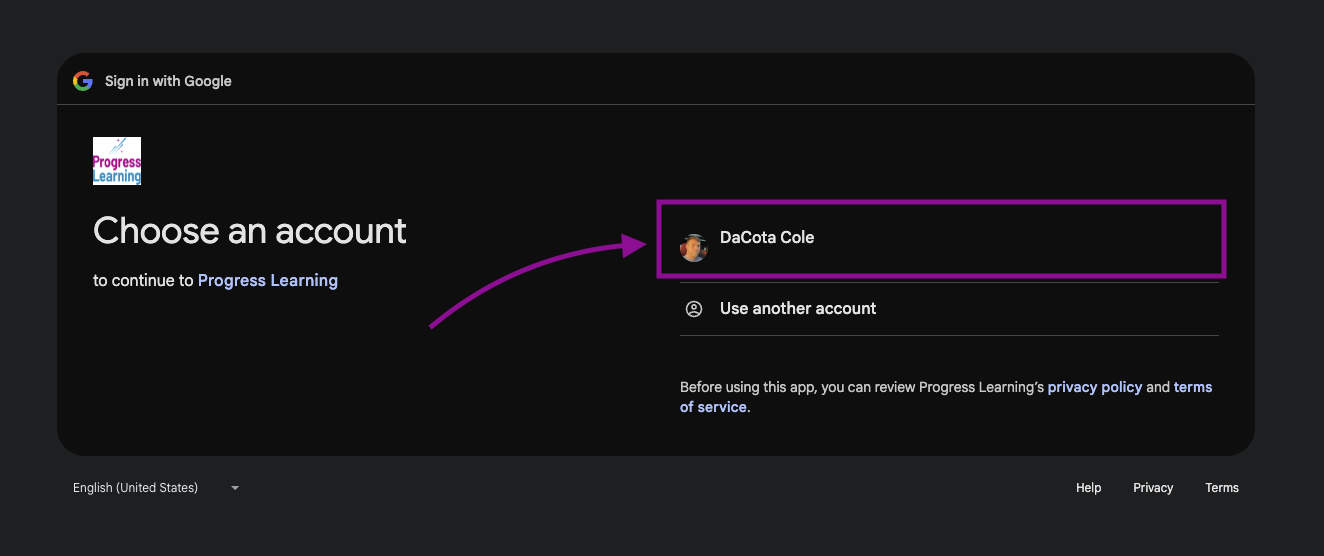
- Select your Google account:
- Select continue:
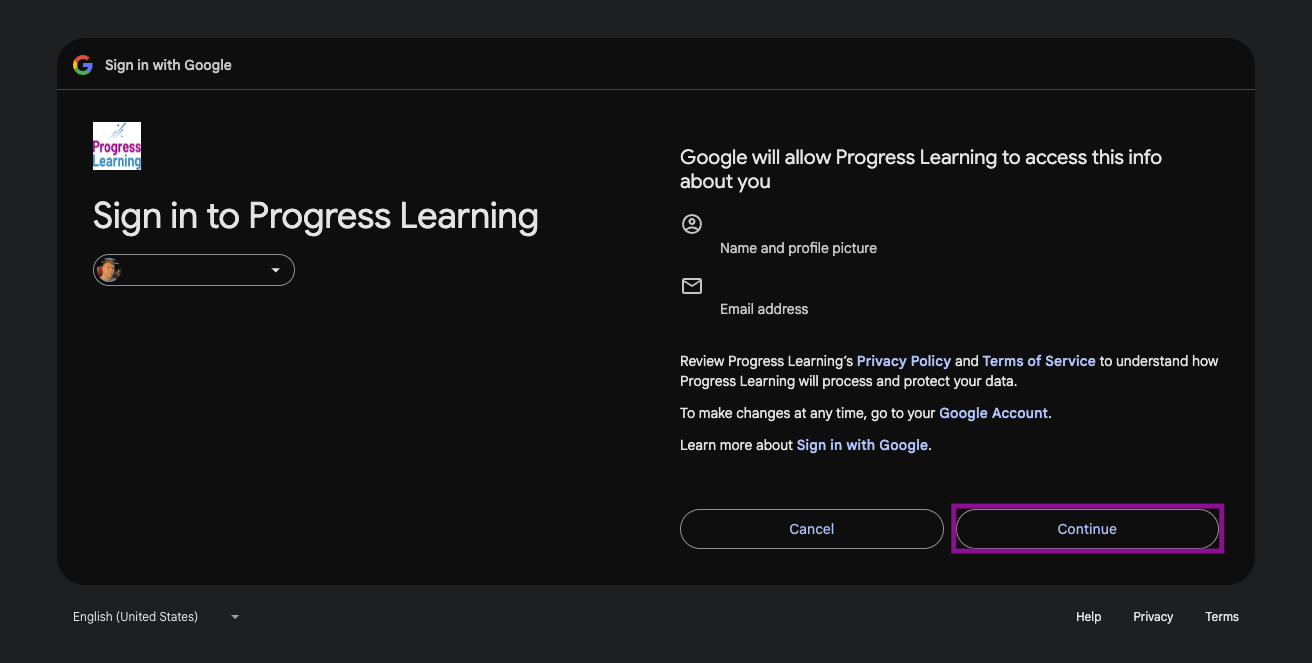
- Check the option to Select all, then continue.
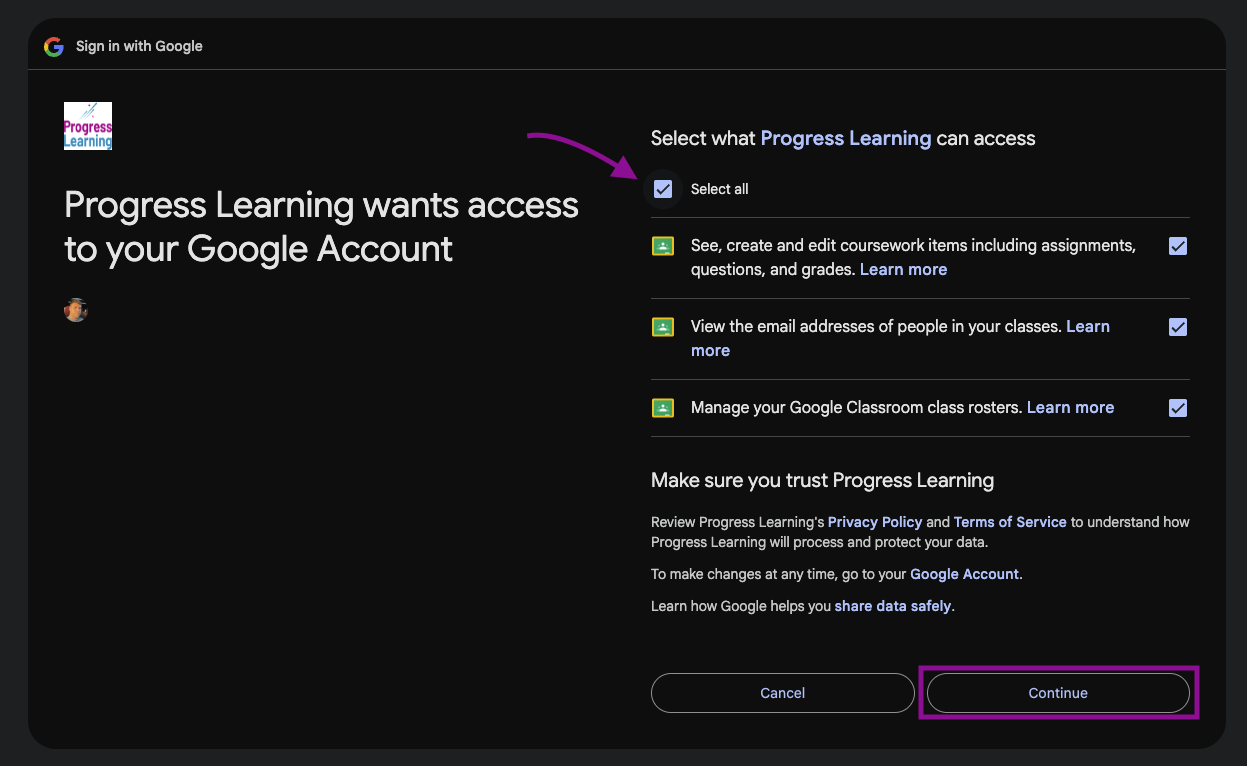
- You will be redirected to your dashboard, and in the future, you may log in with Google by selecting the Sign in with Google option at app.progresslearning.com/login.
