What is AI-Assisted Authoring?

AI Assisted Authoring: Overview
While Progress Learning offers an extensive item bank of high quality, standards aligned questions, we know that teachers like to create some of their own questions as well. This can be a time consuming endeavor. To help you get those hours back, we’ve integrated AI-Assisted Authoring directly into our Question Builder.
AI-Assisted Authoring is an AI-powered question generation tool designed to help educators build high-quality assessment items more efficiently. By providing a few key details, such as a topic, subject, grade level, or source material. You can generate questions that can be reviewed, edited, and saved to your item bank.
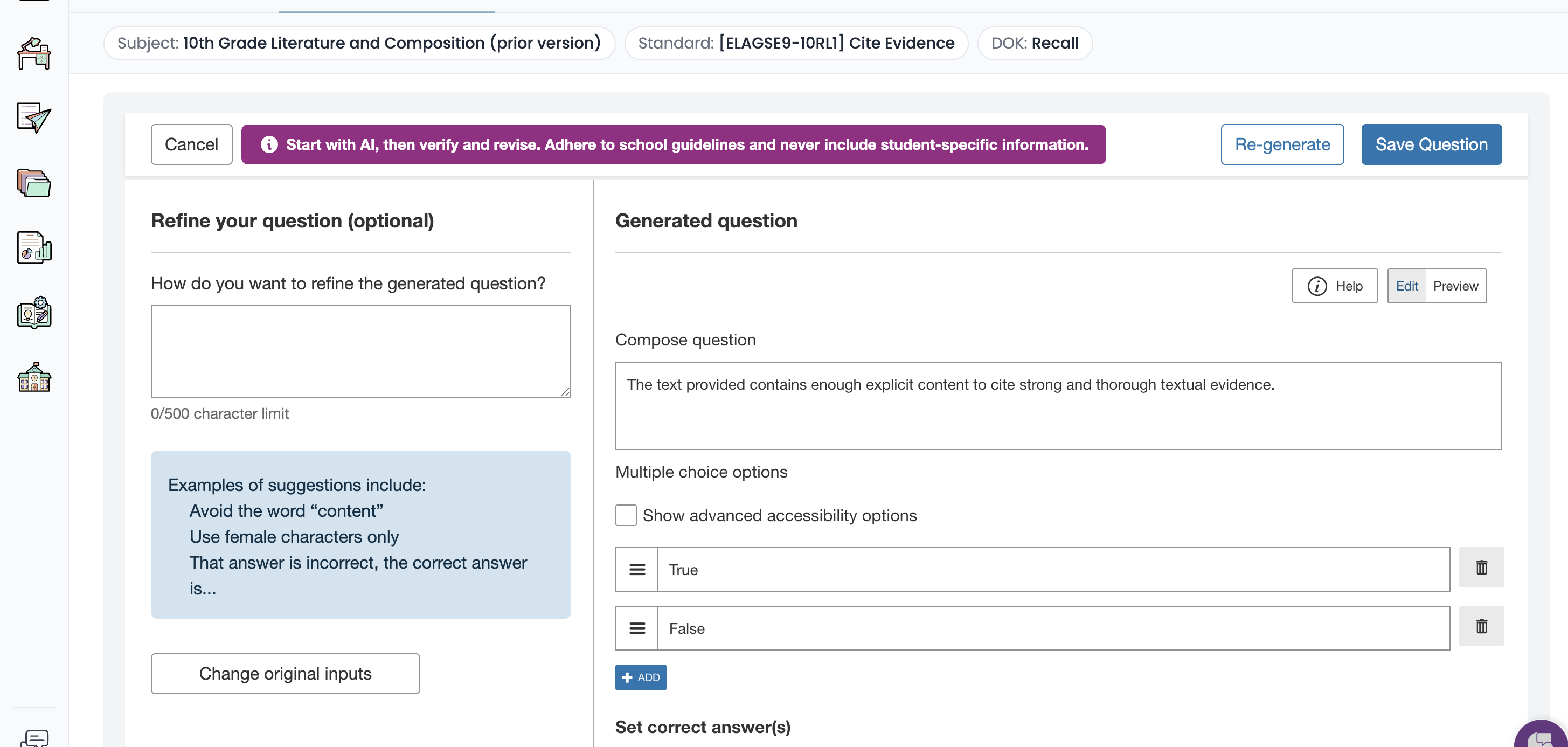
The tool is designed to streamline the question creation process while still allowing authors full control over the final content. After a question is generated, authors can review the item, make adjustments, and refine the question before saving it.
The more context and detail provided during the generation process, the more refined and accurate the generated questions will be.
What types of questions can we use AI-Authoring to create?
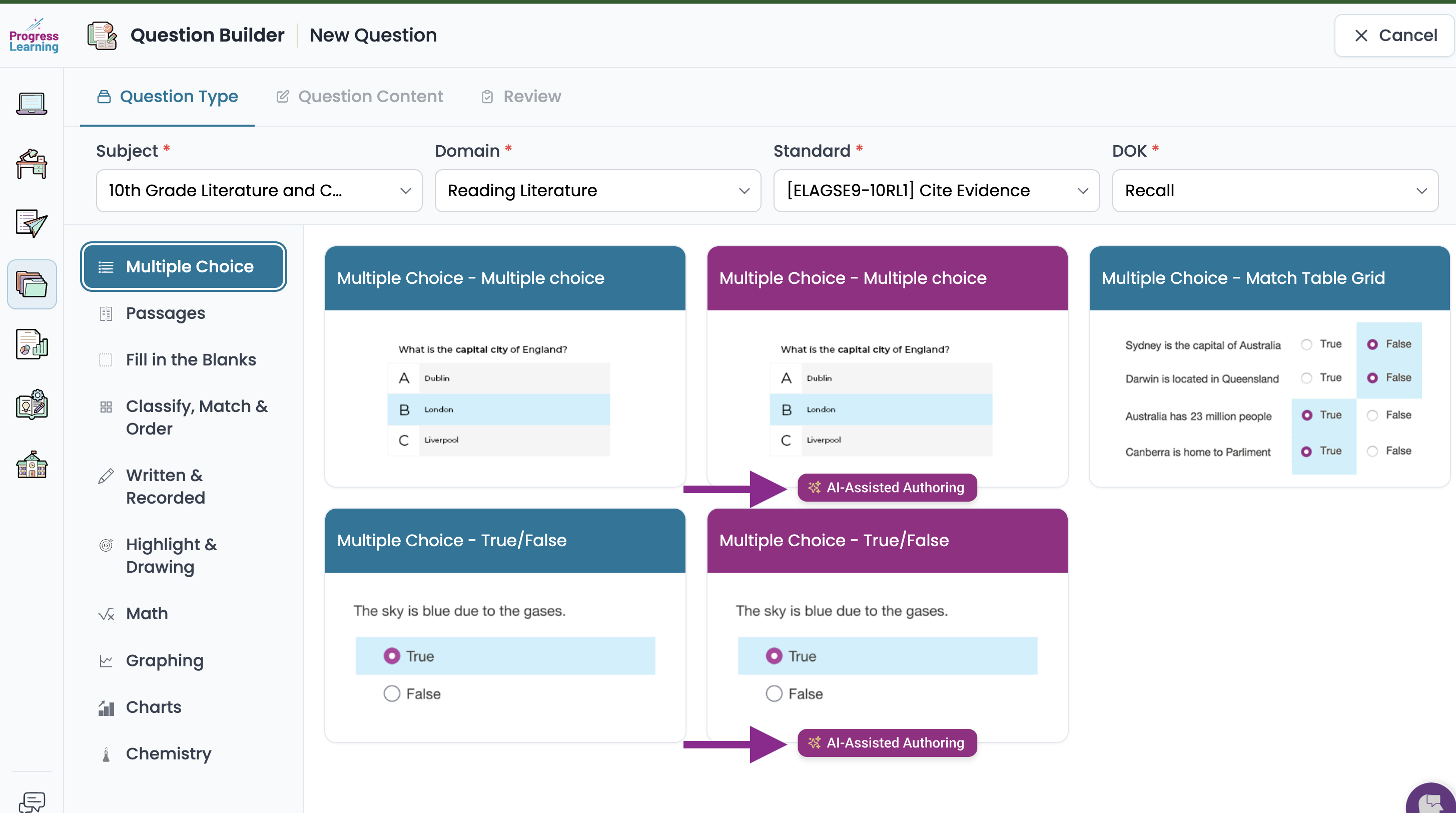
You can now use AI to instantly draft Multiple Choice, True/False, Cloze (Drag and Drop) and Math Text Entry question types. They are indicated with the AI-Assisted Authoring button.
Creating Questions with AI-Assisted Authoring
AI-Assisted Authoring guides you through a few simple steps to generate assessment questions.
Let's Create a Question Together- specify how you would like the AI to approach generating the question.
- Source Material (Optional)
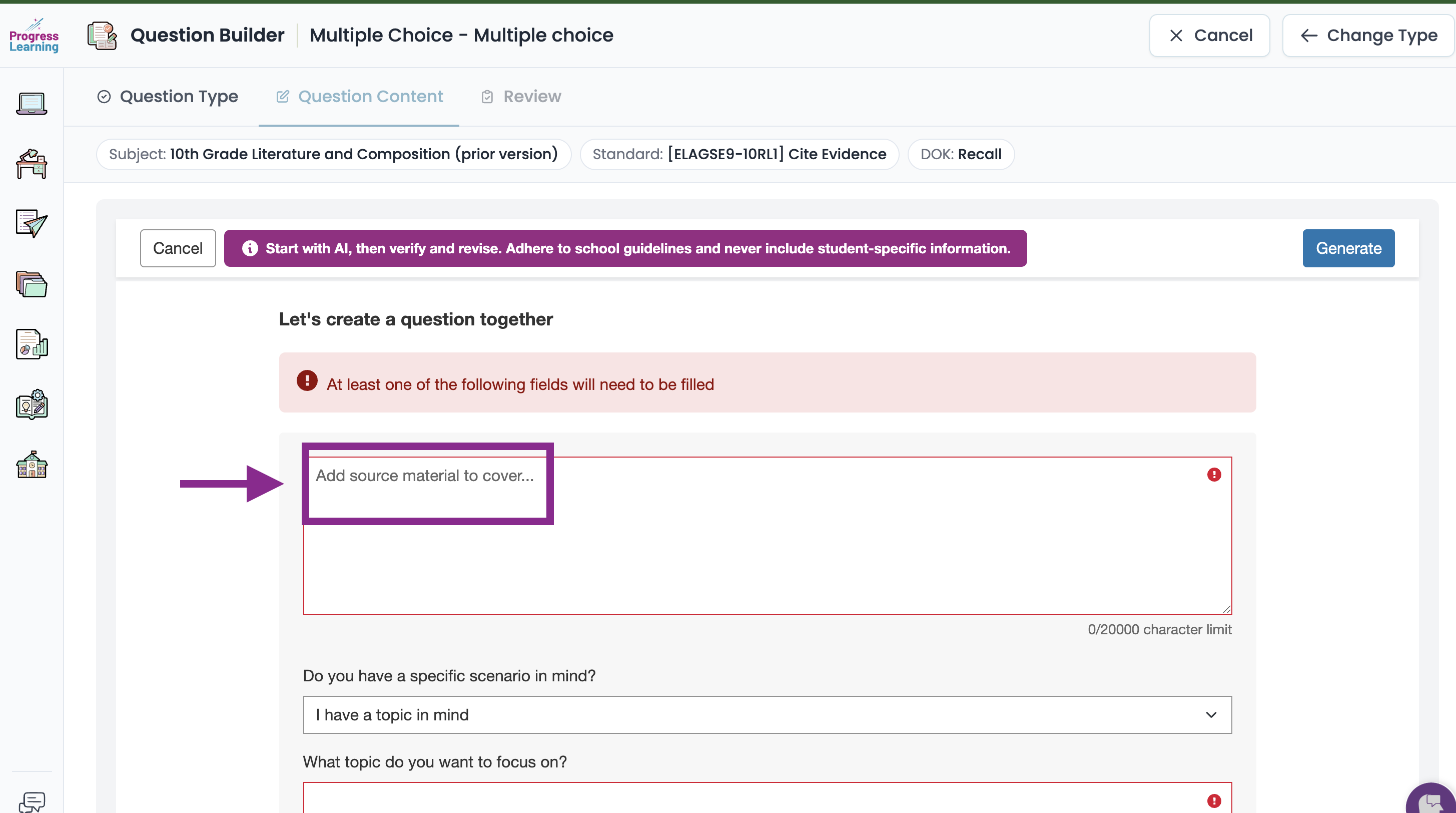
- You may paste a passage, dataset, or other source material (which can also include State-specific source material) into the text field.
- The AI will use this material to generate questions related to the content provided.
- Your content remains private and is not used to train the underlying AI model.
- Examples of source material include:
- Reading passages
- Data tables
- Problem scenarios
- Instructional text
- Examples of source material include:
- Do you have a specific scenario in mind?
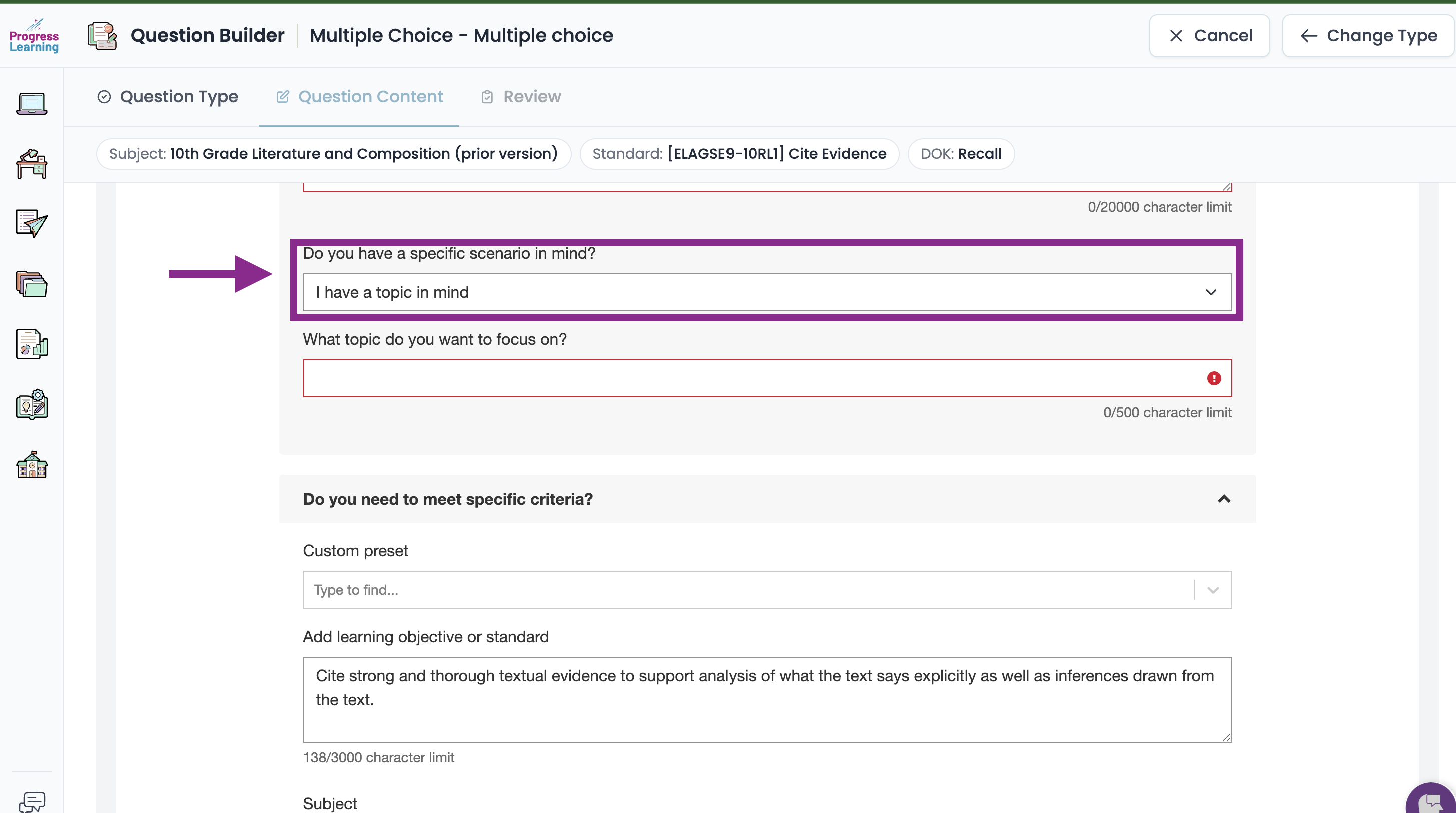
Option 1: I have a topic in mind
You may enter a general or specific topic to guide the AI.
Examples:
- “Velocity in space”
- “Role of earthworms in soil conservation”
- “Student vocabulary related to sports”
- “Problem-solving using data analysis”
The more specific the topic, the more focused the generated question will be.
Option 2: I have an exact question in mind
If you already have a question written, you can enter it directly. The AI will use your question to generate answer choices and supporting responses.
The more detail included in your prompt, the more accurate the generated responses will be.
Option 3: I would like to use my own prompt
You may also provide custom instructions to guide how the question should be created. This is useful if you want the AI to follow a specific structure or instructional goal.
Examples:
- Create a scenario-based question involving students traveling in space that tests knowledge of gravity.
- Generate a data interpretation question using a table related to plant growth.
- Create a reasoning-based question where response options are one sentence long.
If source material is provided, the AI will incorporate it into the generated question.
Do you need to meet specific criteria?
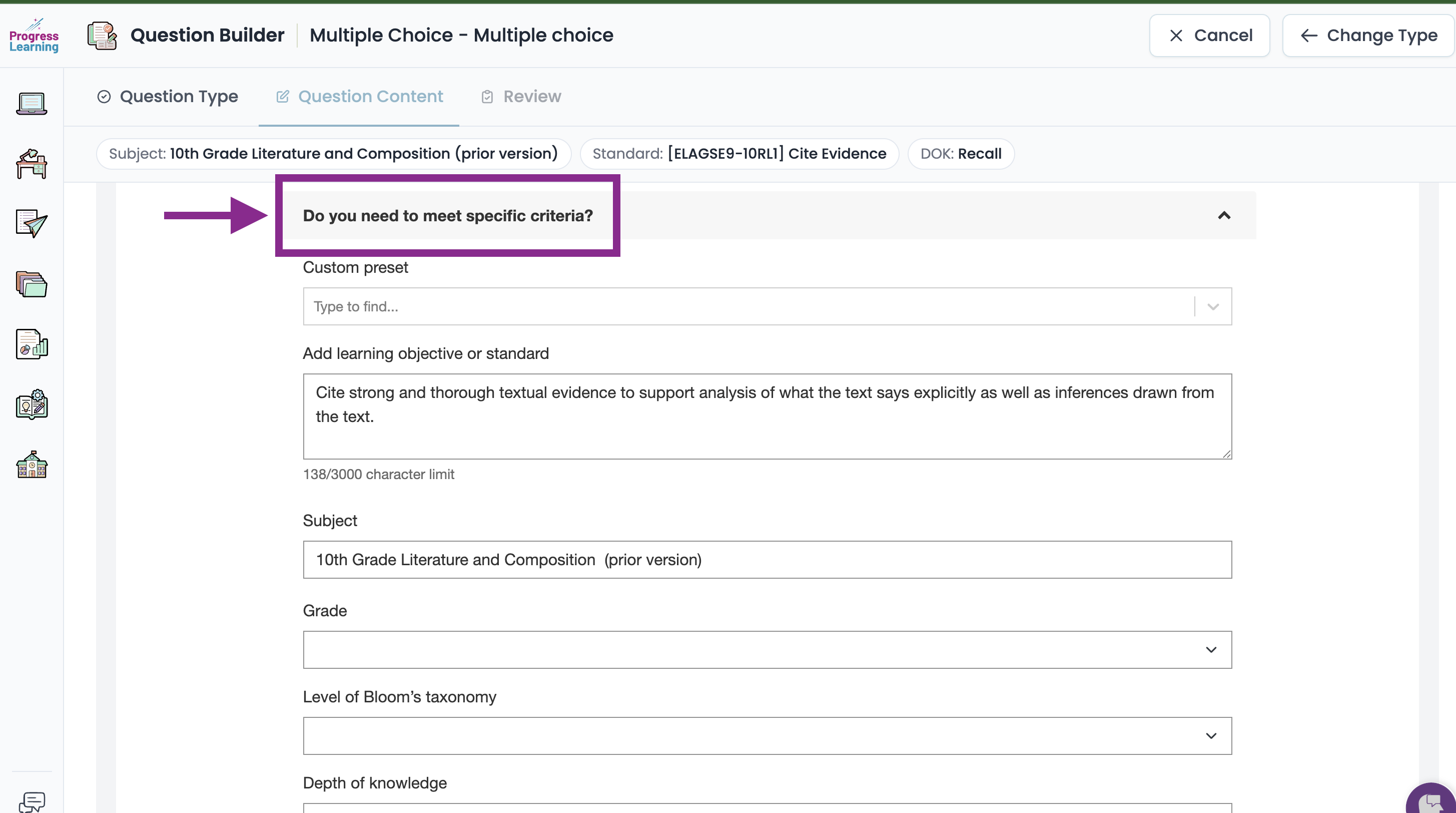
- Learning Objective or Standard- Providing a learning objective or academic standard helps ensure the question aligns with your instructional goals. (No need to enter anything here)
- Subject- Select the subject area for the question. (No need to enter anything here)This is pre-populated based on your selection at the beginning of the Question Builder.
- Grade Level- The grade level helps the AI determine the appropriate reading level and complexity of the question. This field is optional but recommended for K-12 content.
- Level of Bloom's Taxonomy- Choose from one of the 6 levels from the dropdown menu
- Depth of Knowledge- This will pre-populate from the initial set up. (No need to enter anything here)
How should the responses be set up?
- Simply enter the number of responses you would like the AI to provide and how many correct responses you would like for it to generate.
Once you've entered all of the information, scroll back up to the top and click the Generate button

After generation, you can review and modify any part of the question before saving it.