How do I reset a student's attempt on an assignment?
 Updated
by
Gayle McKee
Updated
by
Gayle McKee
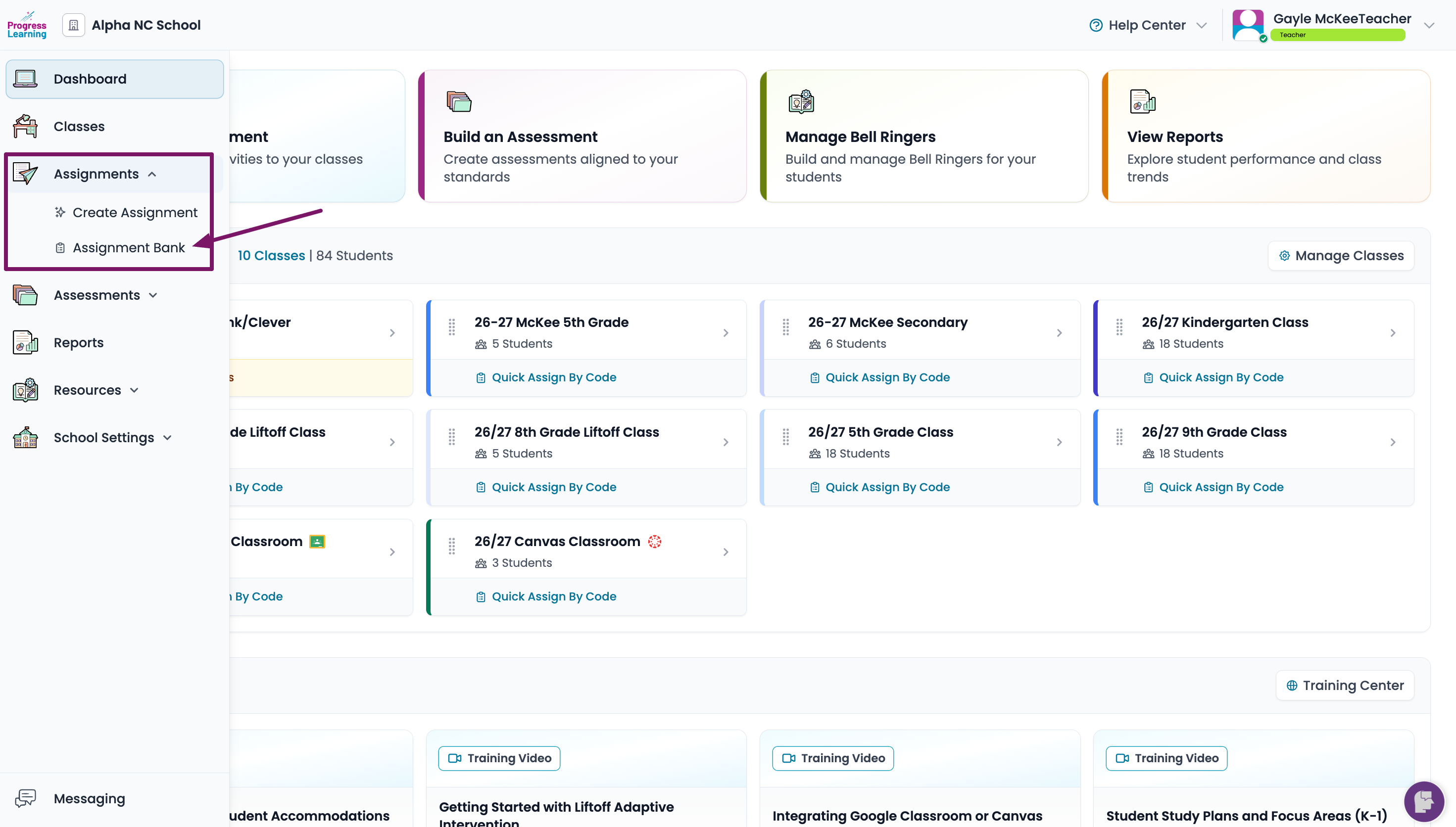
- From the left side menu, select Assignment and click on Assignment Bank
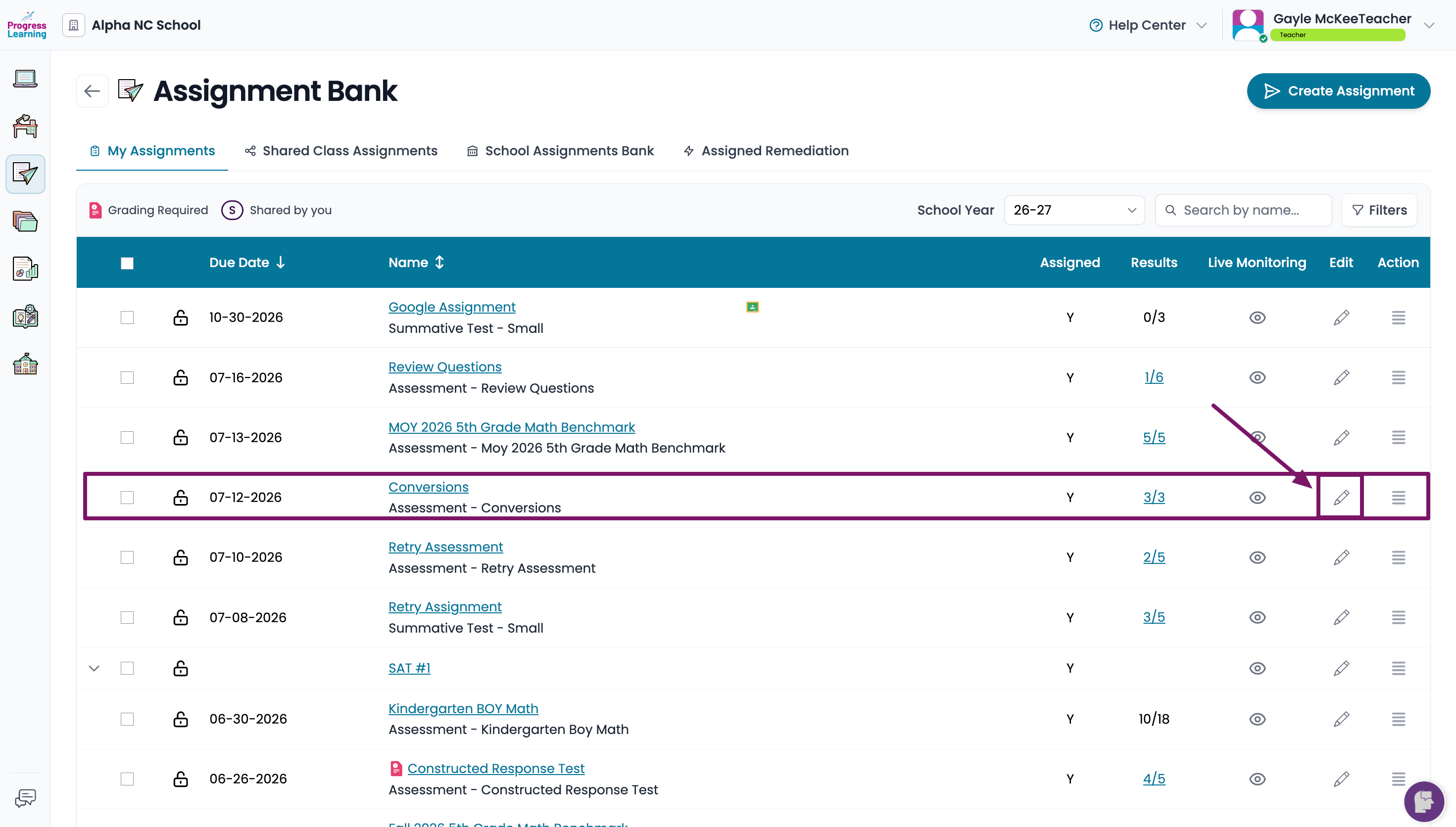
- Find the individual assignment and click on the pencil icon in the Edit column.
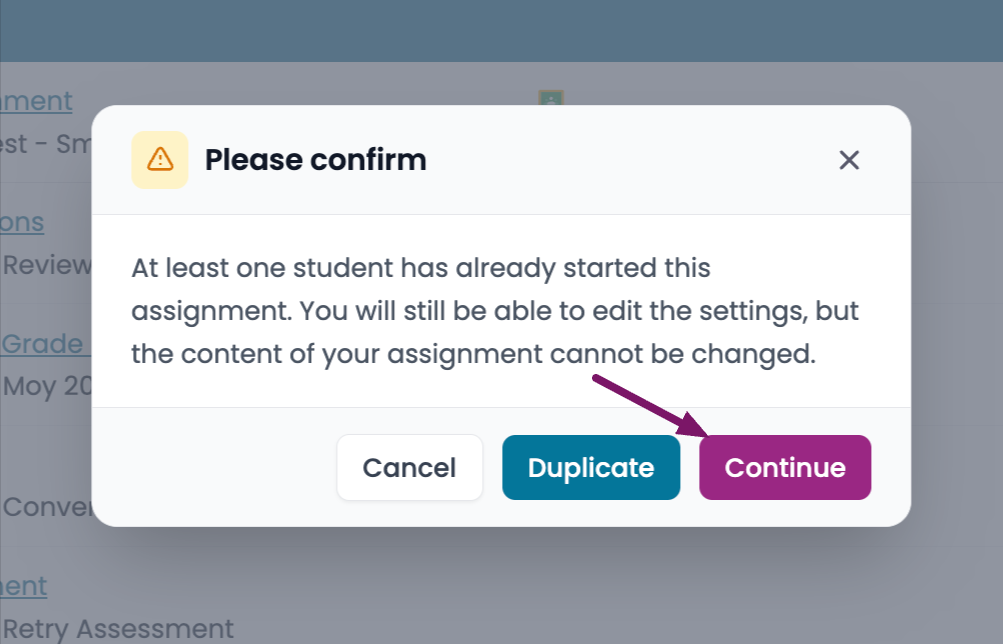
- From the pop up window, click on Continue
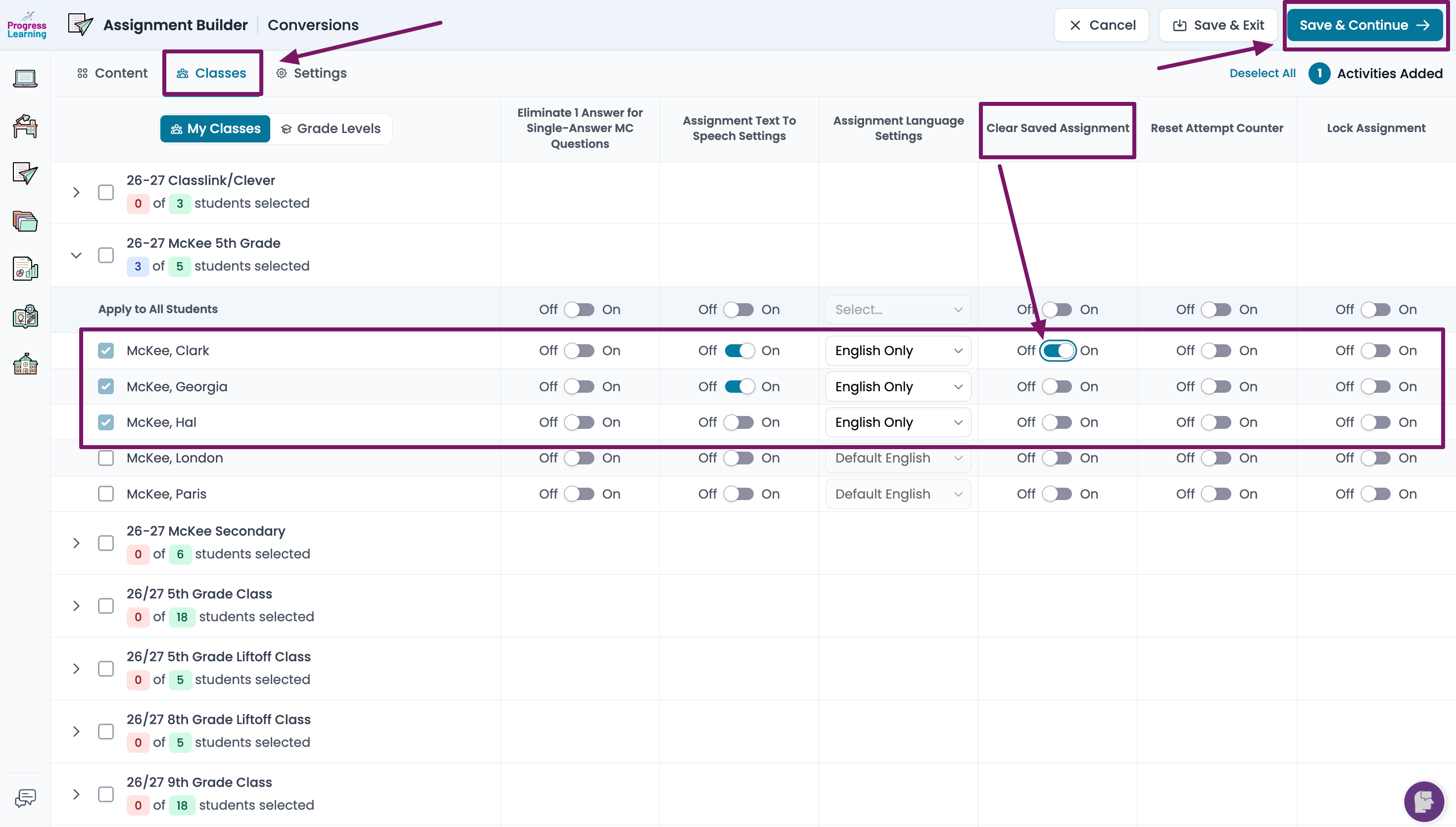
- At the top of the screen, click on the Classes tab. Find the students who have completed the assignment, navigate to the Clear Saved Assignment column and toggle the switch in the on position. Click Save and Continue.
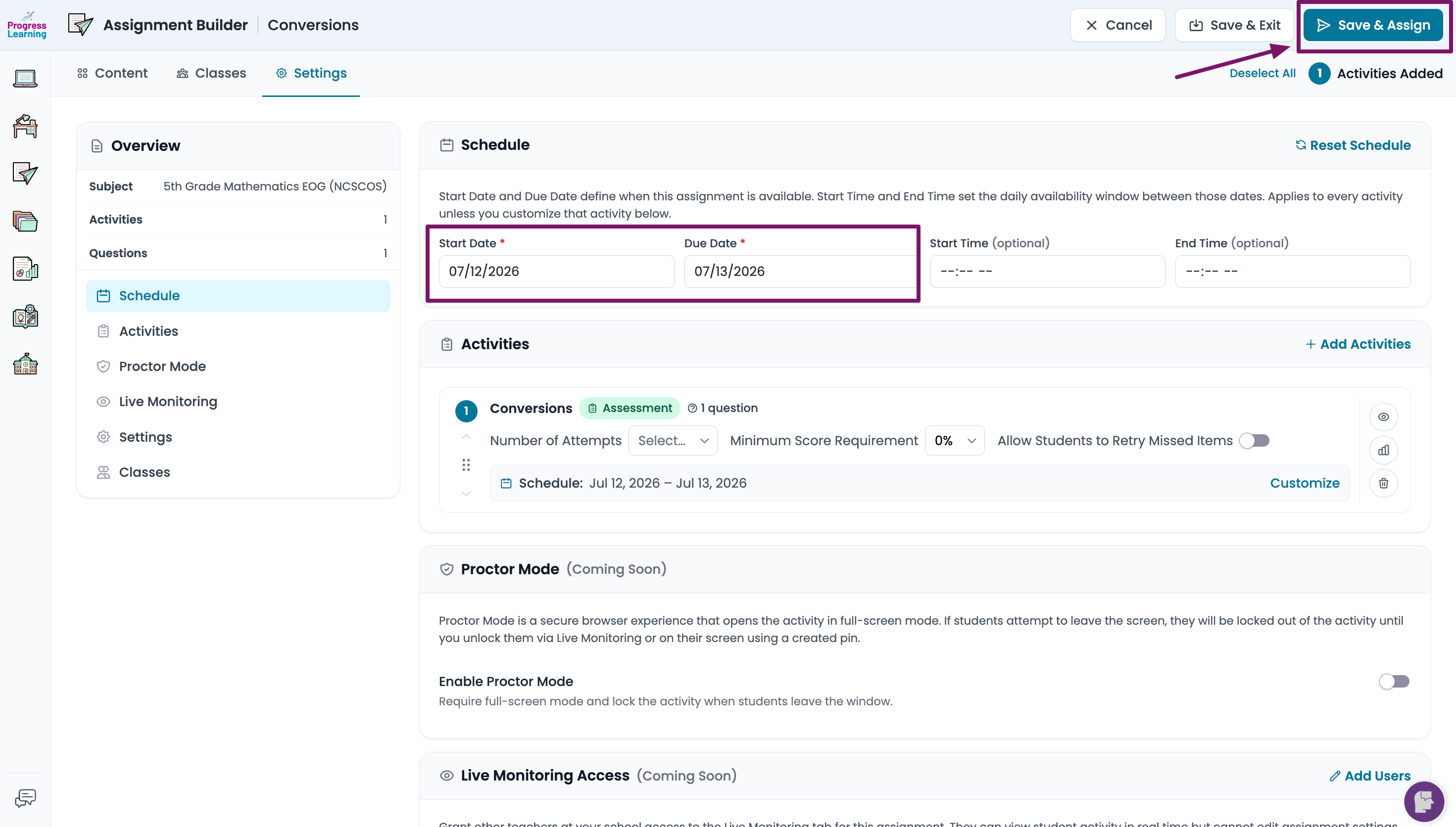
- Verify the Start and Due dates. You may have to adjust the due date if you need to allow more time. Click on Save and Assign.