How do I schedule Liftoff Diagnostics?
 Updated
by
Gayle McKee
Updated
by
Gayle McKee
Enable Liftoff
Before students are able to access Liftoff, it must be enabled for them. Click here to learn how to enable Liftoff for students.
Taking Liftoff Diagnostics
Students must complete Liftoff Diagnostic testing in order to begin working to recover skill gaps.
How you schedule these diagnostics is completely up to you, the teacher/school administrator. The teacher does not assign Liftoff Diagnostics. They are available for students to take by navigating to their Liftoff Platform and clicking on the Diagnostics tab.
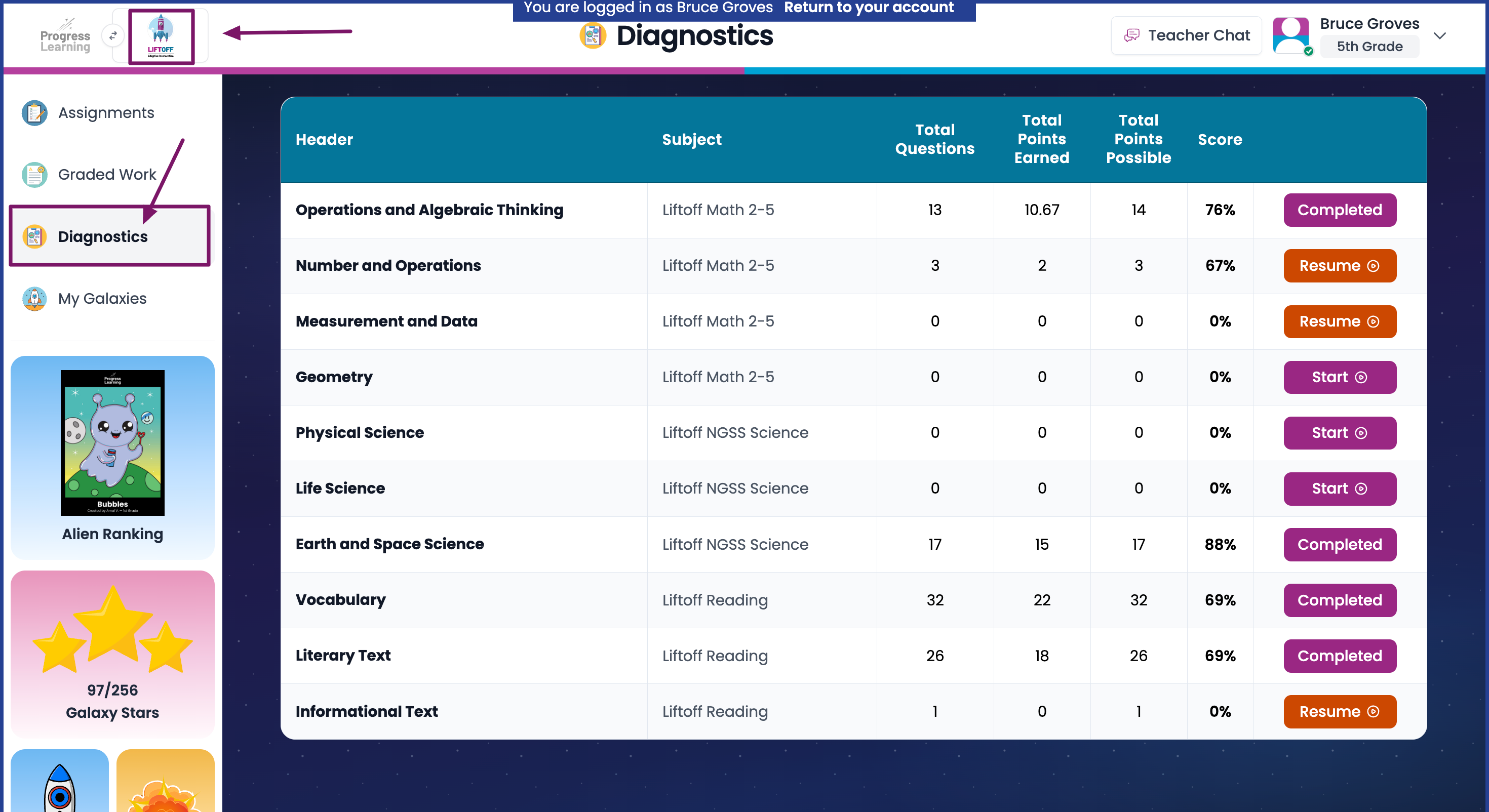
Some schools opt to give all Liftoff Diagnostics during a "testing window" while others choose to spread Liftoff Diagnostics out throughout the year based on pacing guides.
Liftoff Diagnostics are adaptive and can be lengthy, specifically for students who are substantially below grade level.
Liftoff Diagnostic Report
Once students have completed their diagnostics, we have a LIftoff Diagnostic Report that will give you information based upon their diagnostic results.
- To find this report, navigate to the Reports section from the left navigation menu.
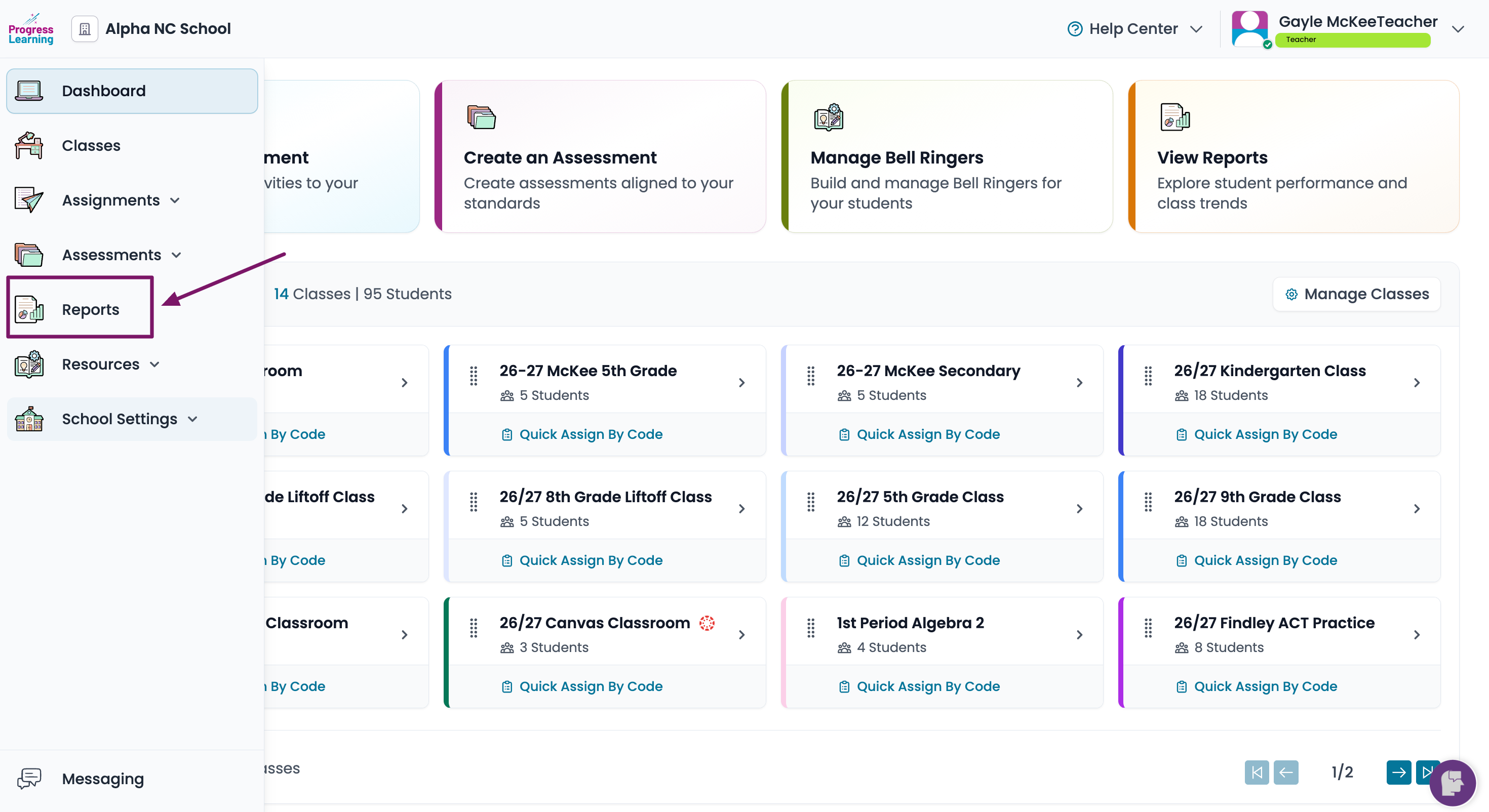
- Navigate to the Liftoff Reports Section
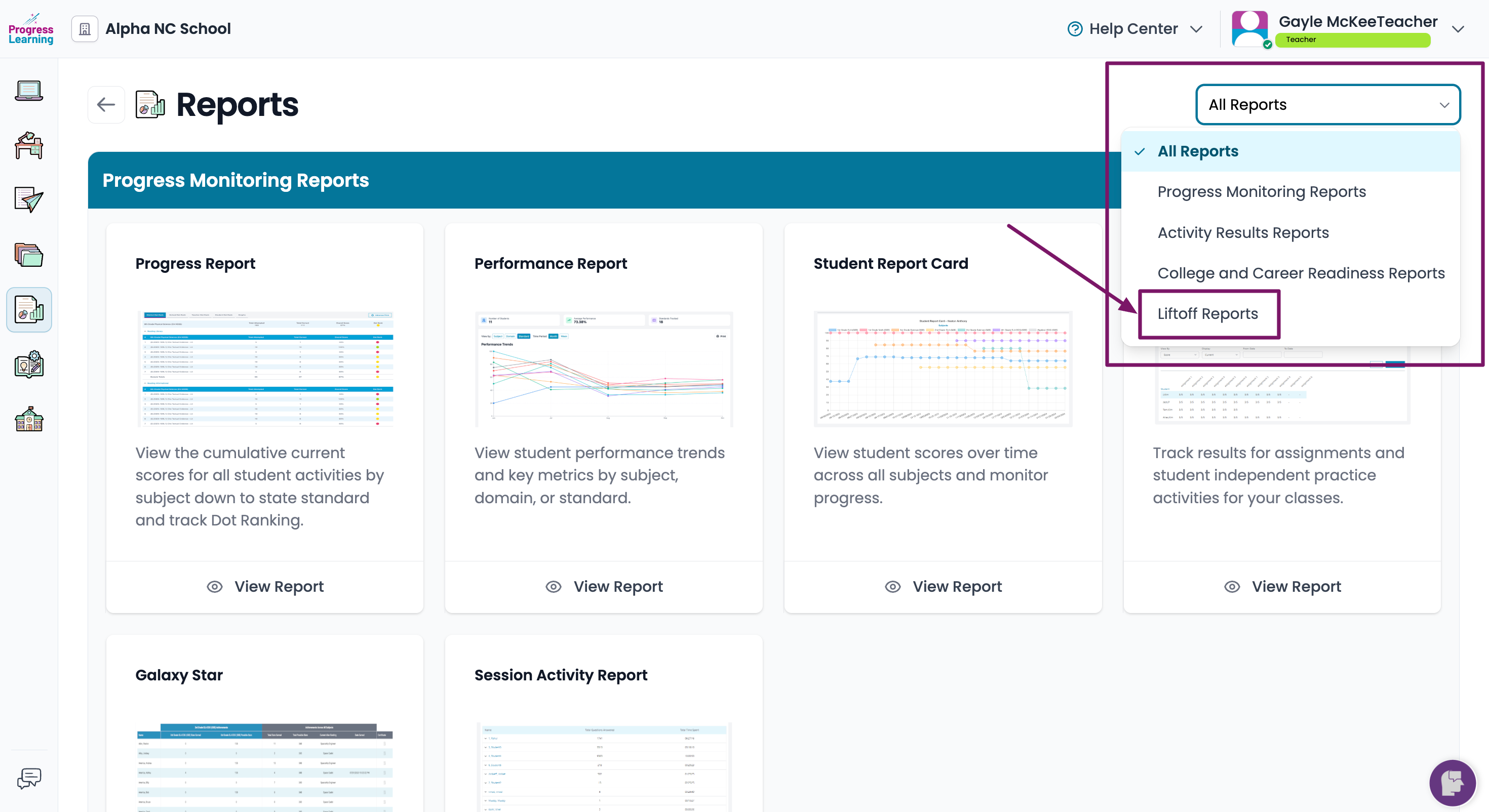
- Click on the Liftoff Diagnostic Report
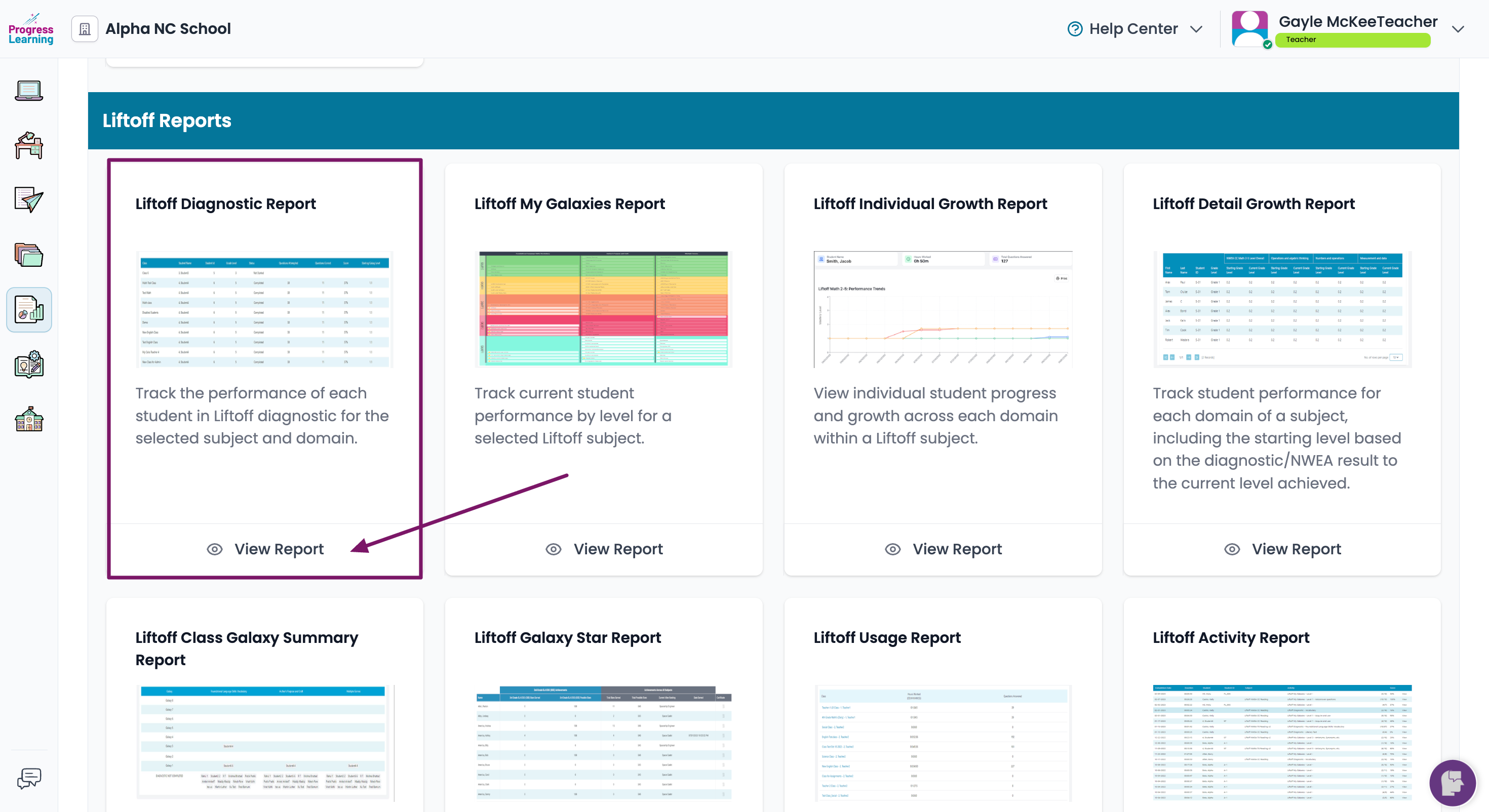
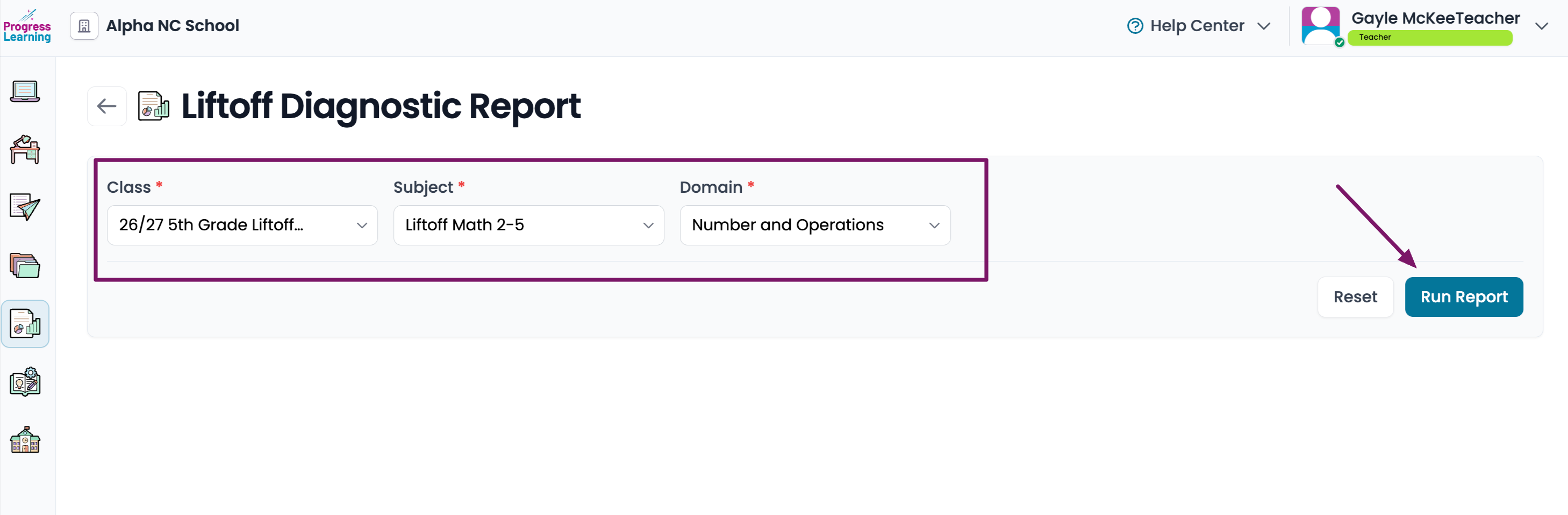
- Filter for the Class, Subject and Domain then click Run Report
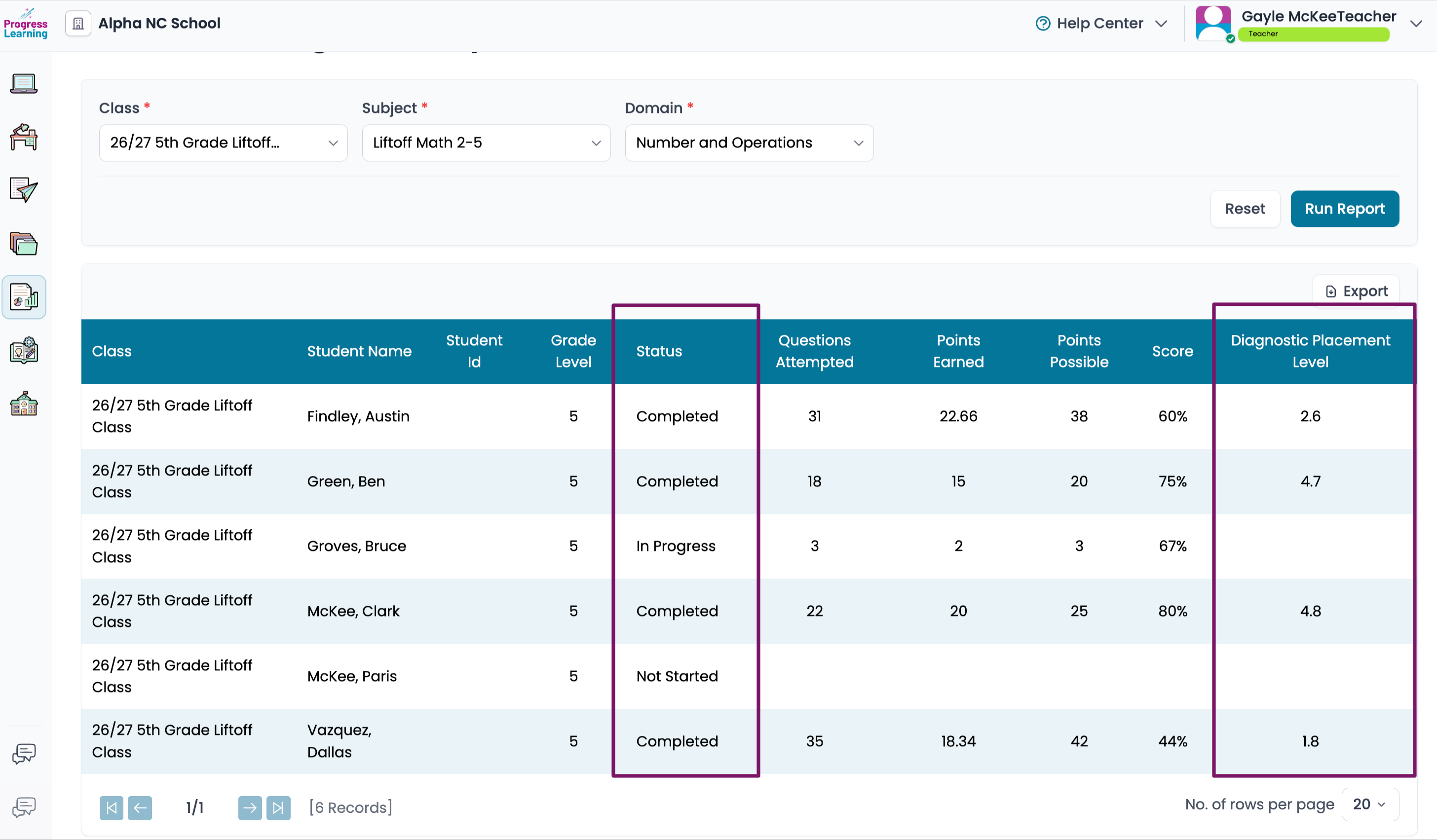
- The report will give you information on the status of each student's diagnostic testing (Completed, In Progress, Not Started) as well as their Diagnostic Placement Level.
 The Liftoff Diagnostic report should not be confused with the Diagnostic Pre- and Post- tests found in Premium Assessments (Texas only) for the Progress Learning platform.
