How does a teacher assign District, School and Class assessments?
From the Assessment Bank
- From the teacher dashboard select Assessment.
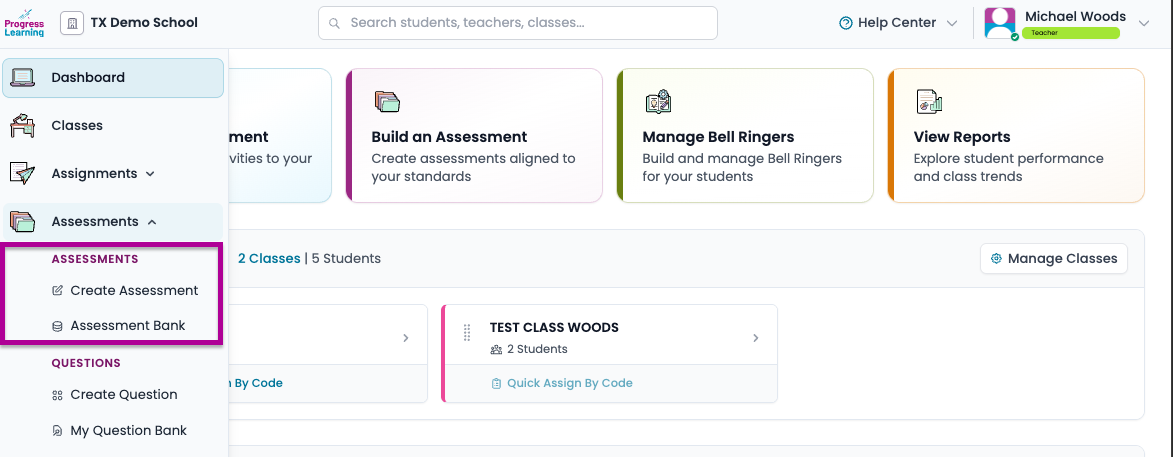
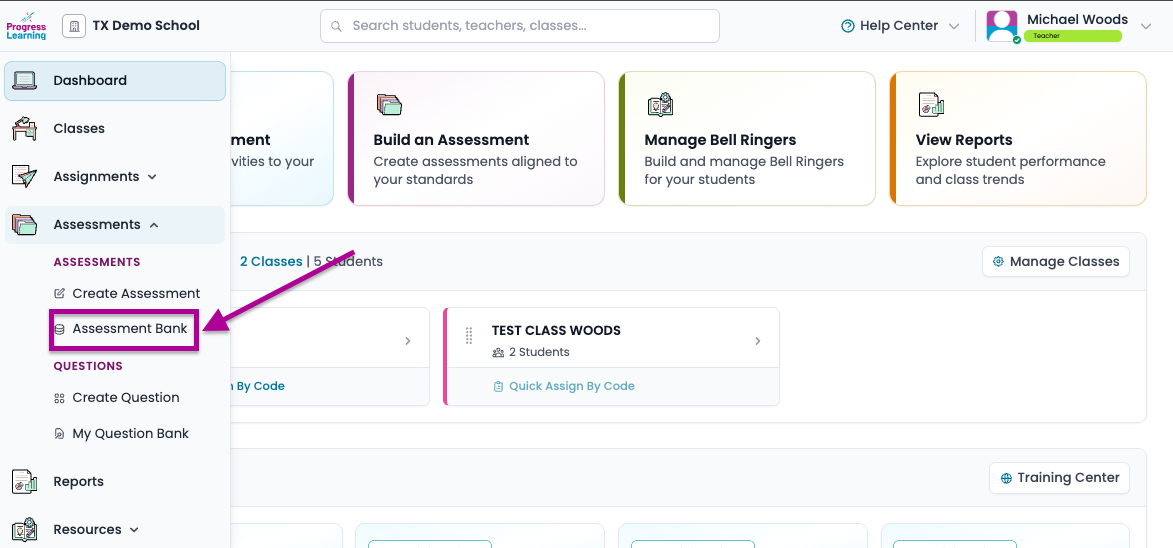
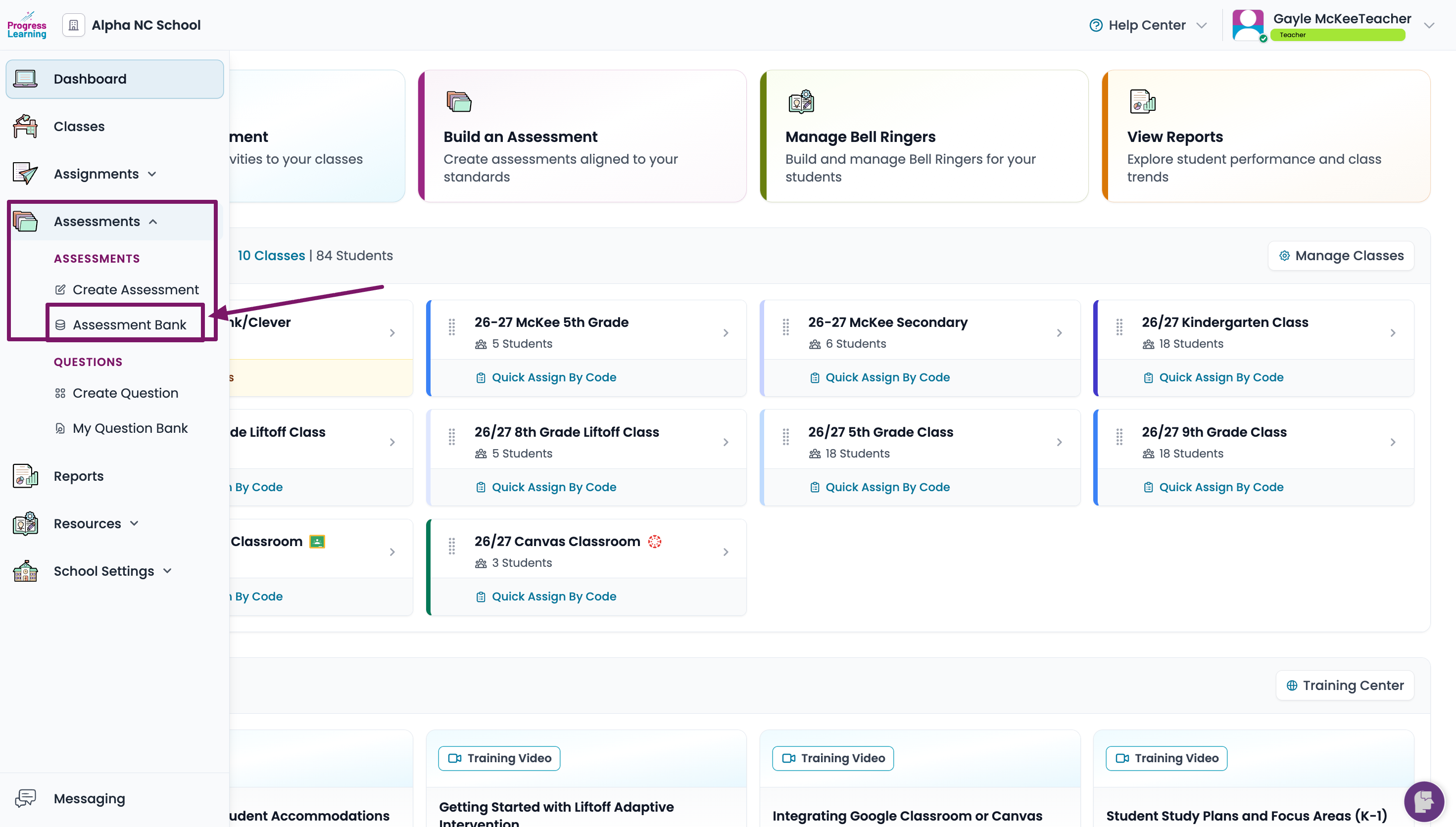
- Click Assessment Bank from the Assessments section.
- Click on the icon in the Assign column to send the assessment to a class or individual students.
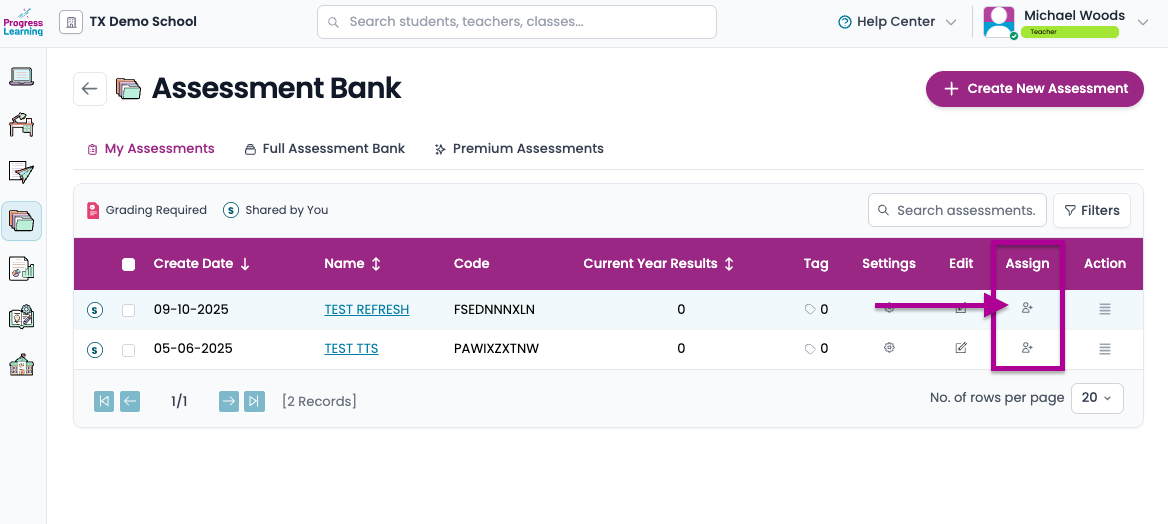
If you need to assign the assessment to more students after it was initially assigned, this is where you can complete that step.
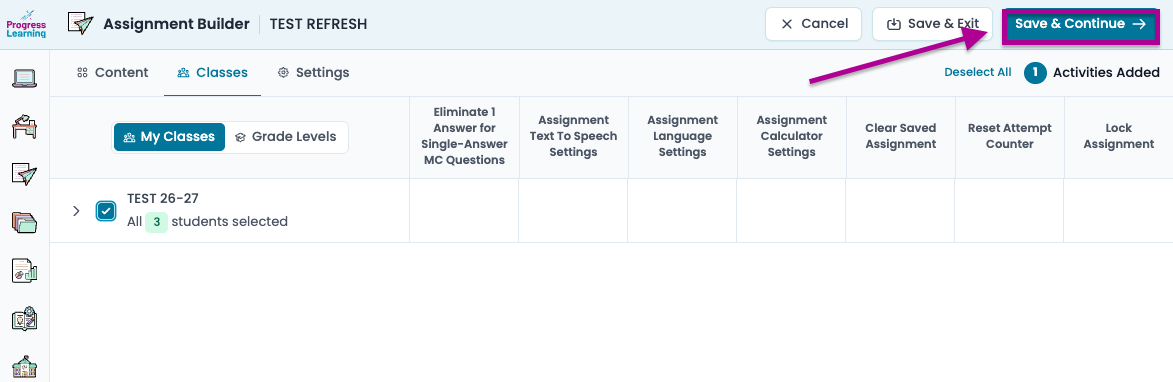
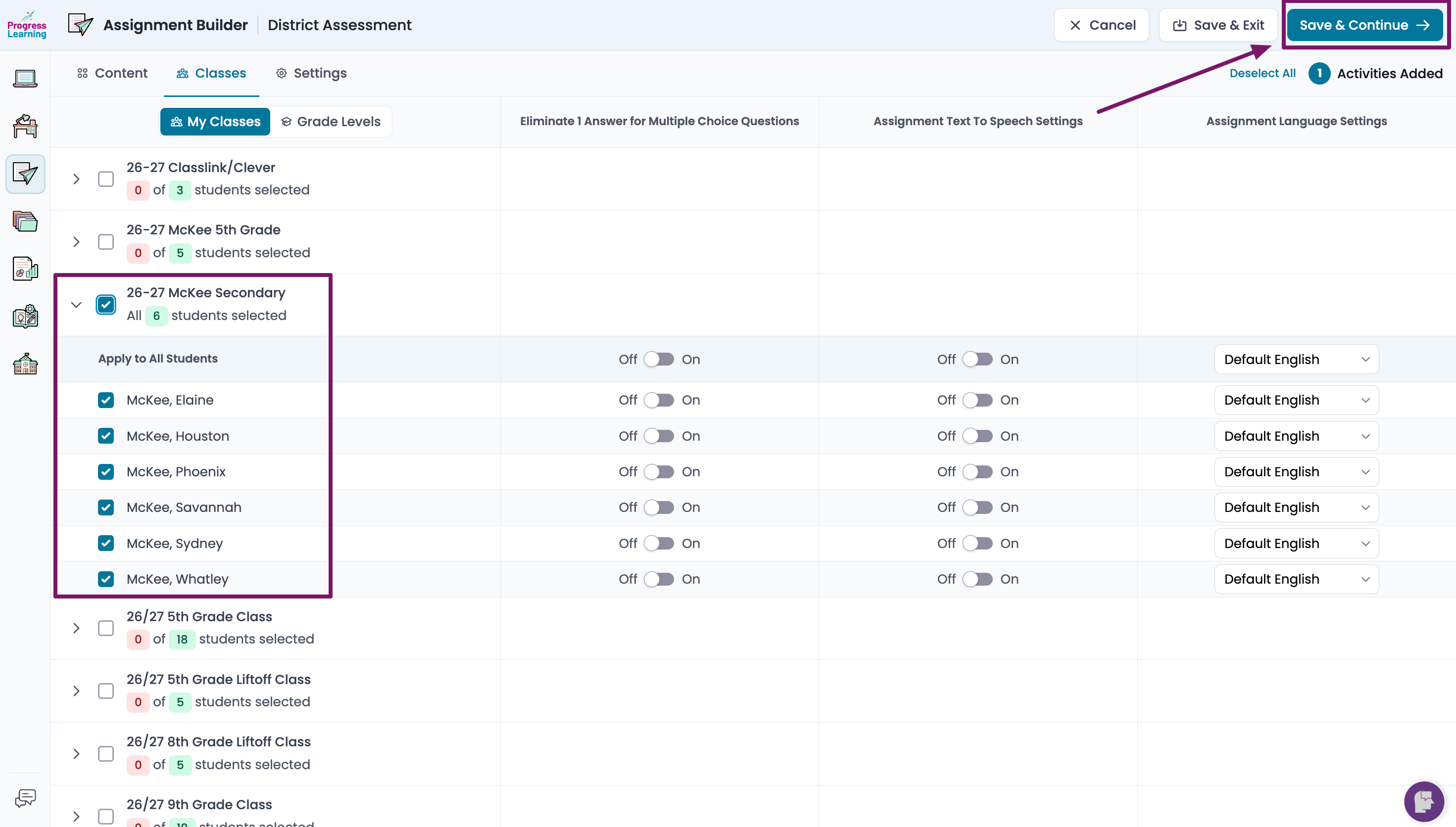
- Click the class or individual student checkboxes to assign the assessment. You may also add individual accommodations for this assessment here. Then click Save and Continue.
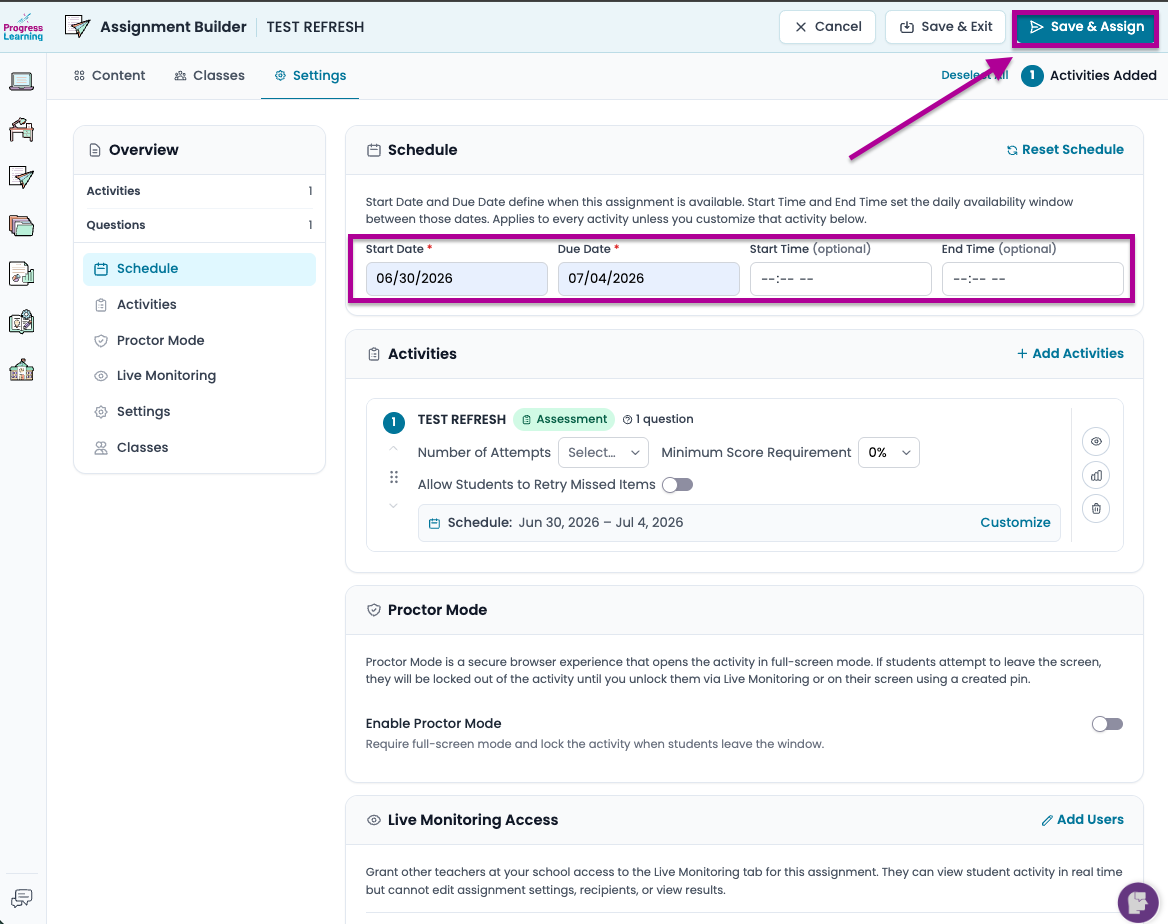
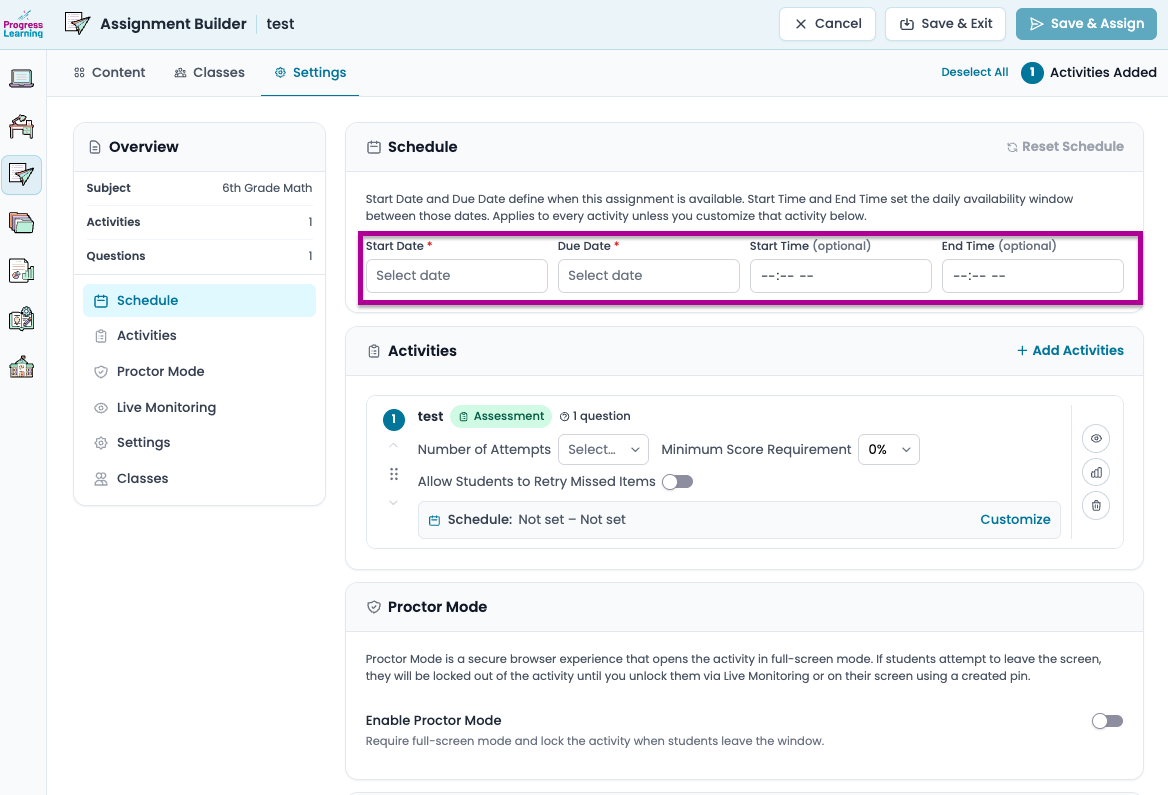
- Select your start date and due date and click Save and Assign
From the Assignment Builder
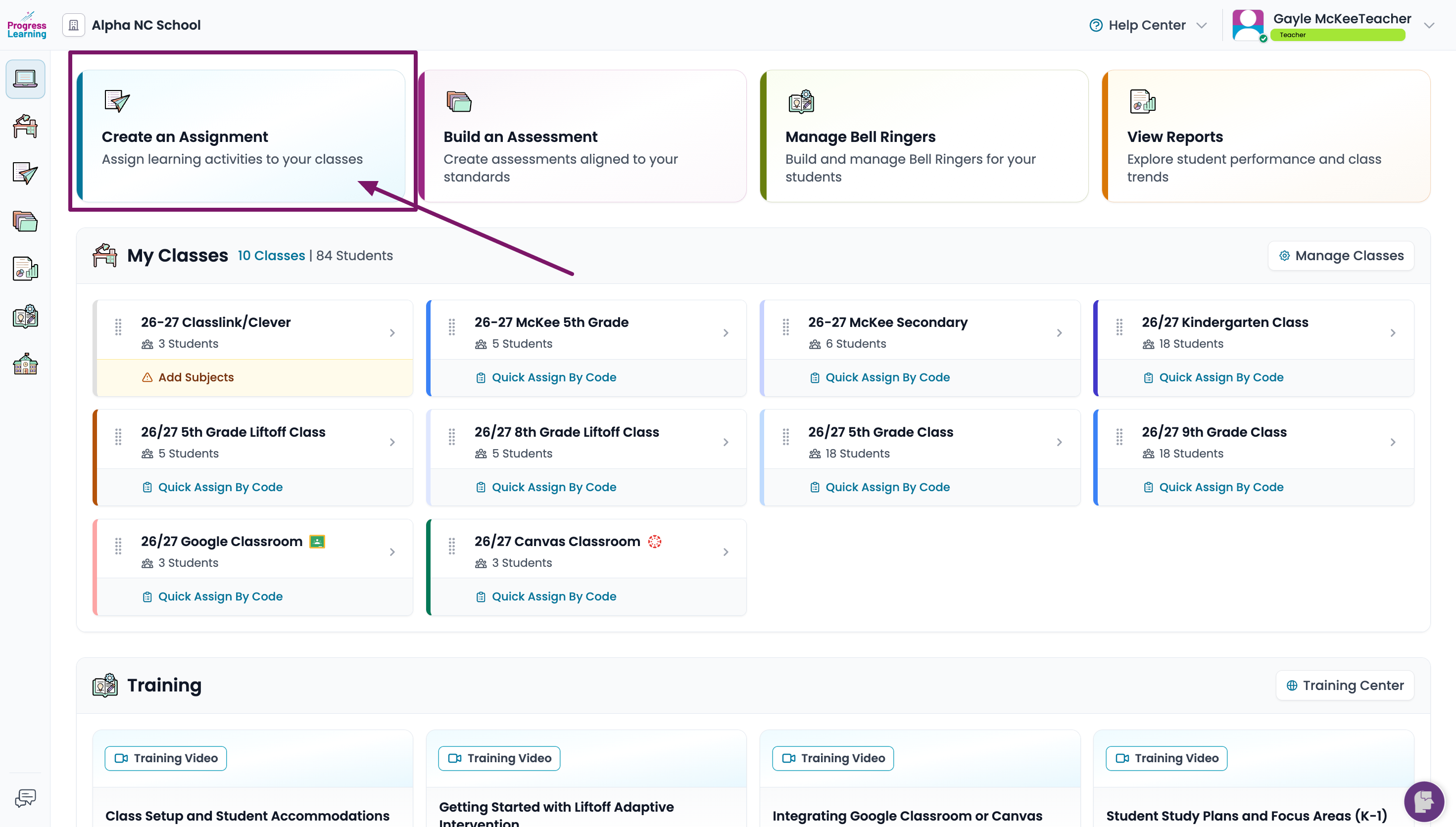
- From the top of your dashboard, click on Create and Assignment.
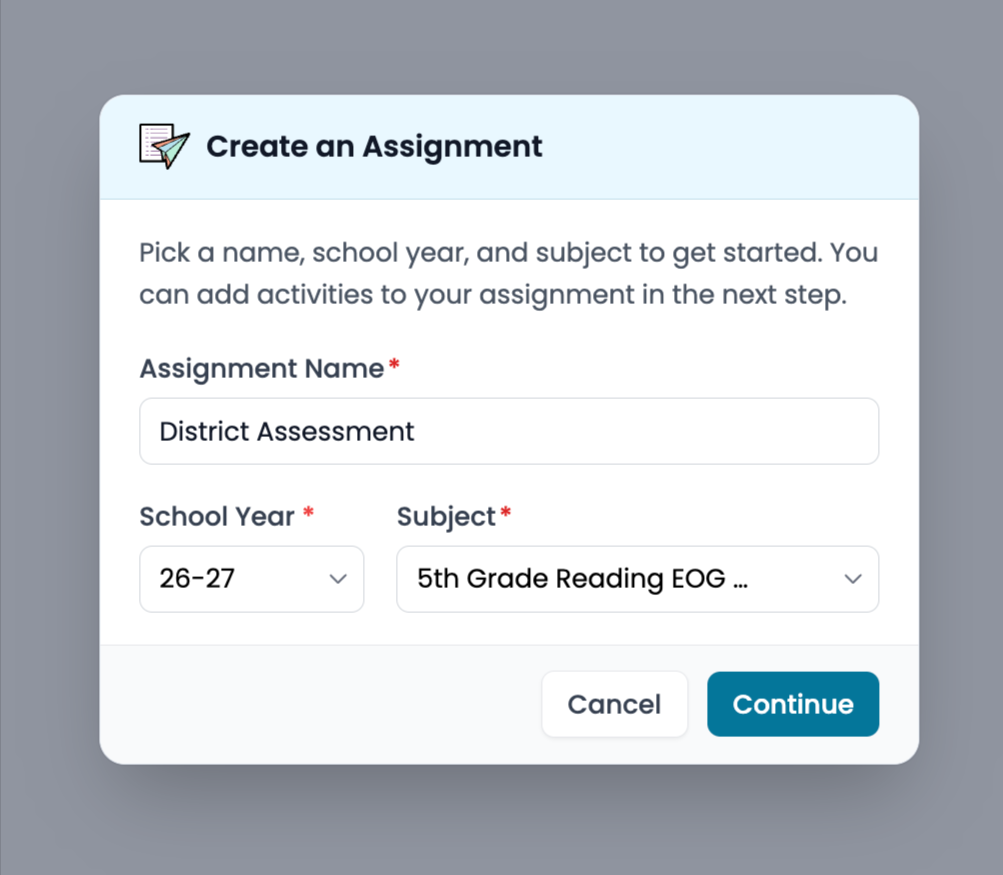
- Give your Assignment a name and choose the content area for which the assessment was created and click Continue.
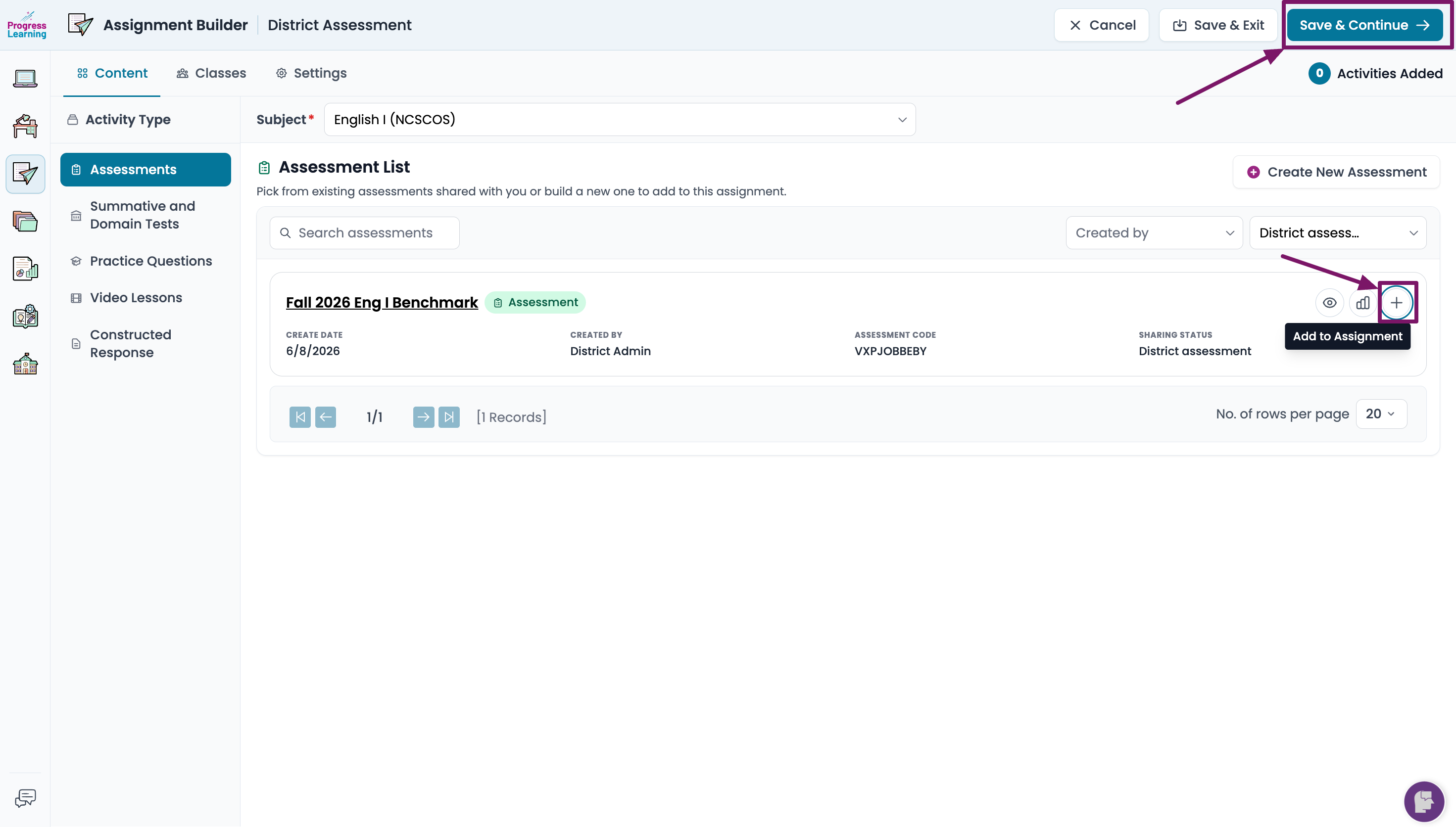
- From the Sharing Status dropdown on the right side, select who created and/or shared the assessment (another teacher, a District administrator or a School administrator).
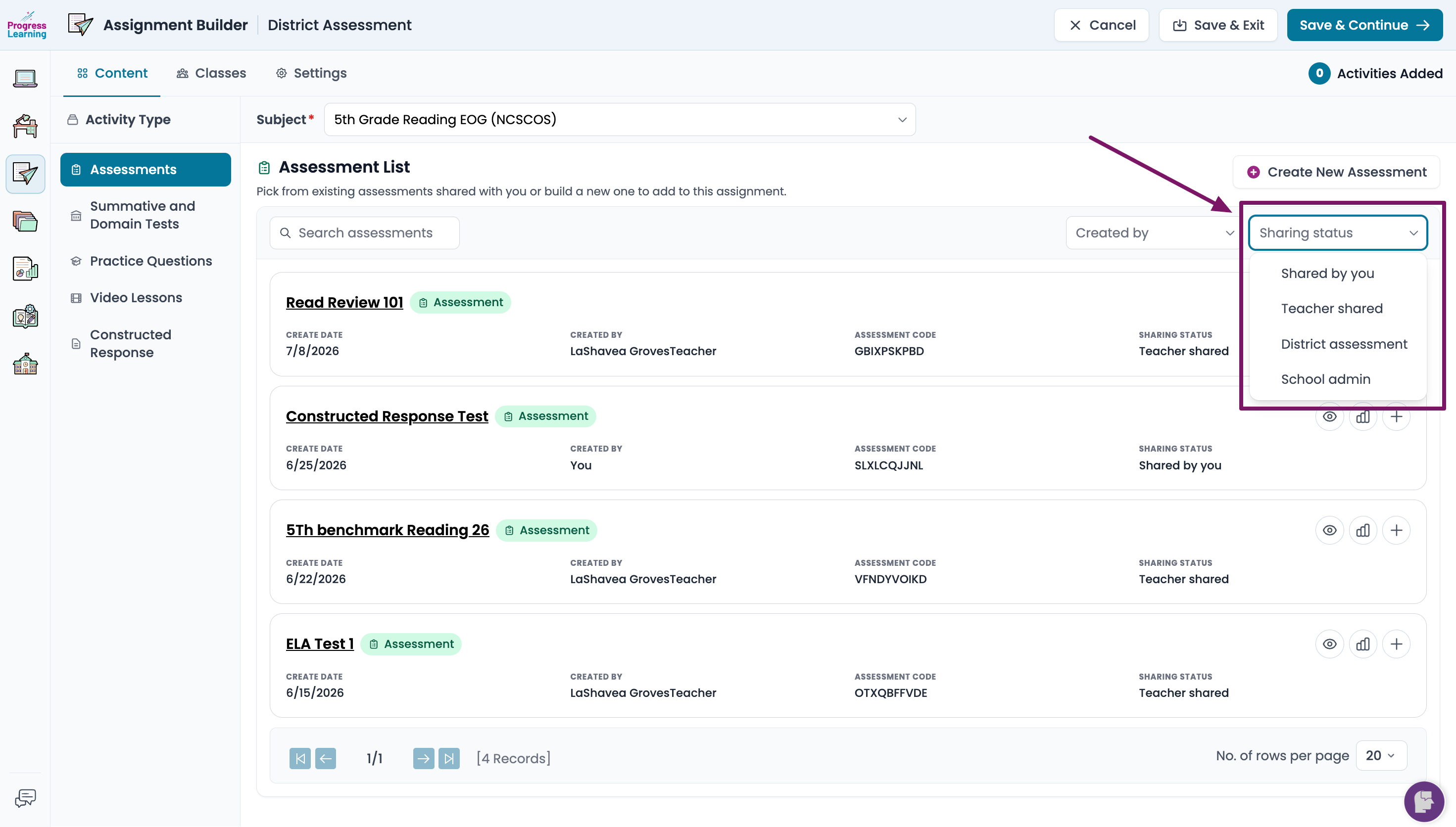
- Find the name of the assessment from the list and click the + sign on the right side of the screen to add it to this assignment and click Save and Continue.
- Select the class(es) or student(s) you want to assign the assessment to and click Save and Continue.
- Set the Start Date, Due Date and optional start and end times. Click Save and Assign to assign to your students.
Quick Assign by Code
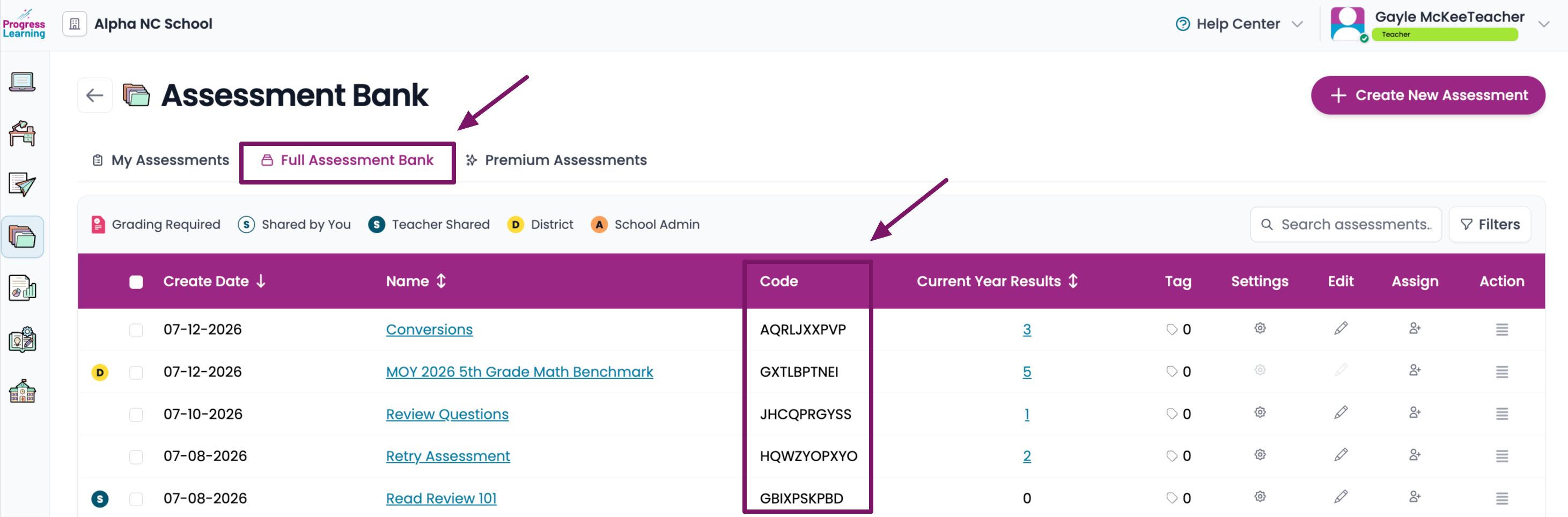
- From the left side menu, select Assessments and click on Assessment Bank.
- From the Full Assessment Bank tab, find the name of the assessment and write down or copy the Assessment Code
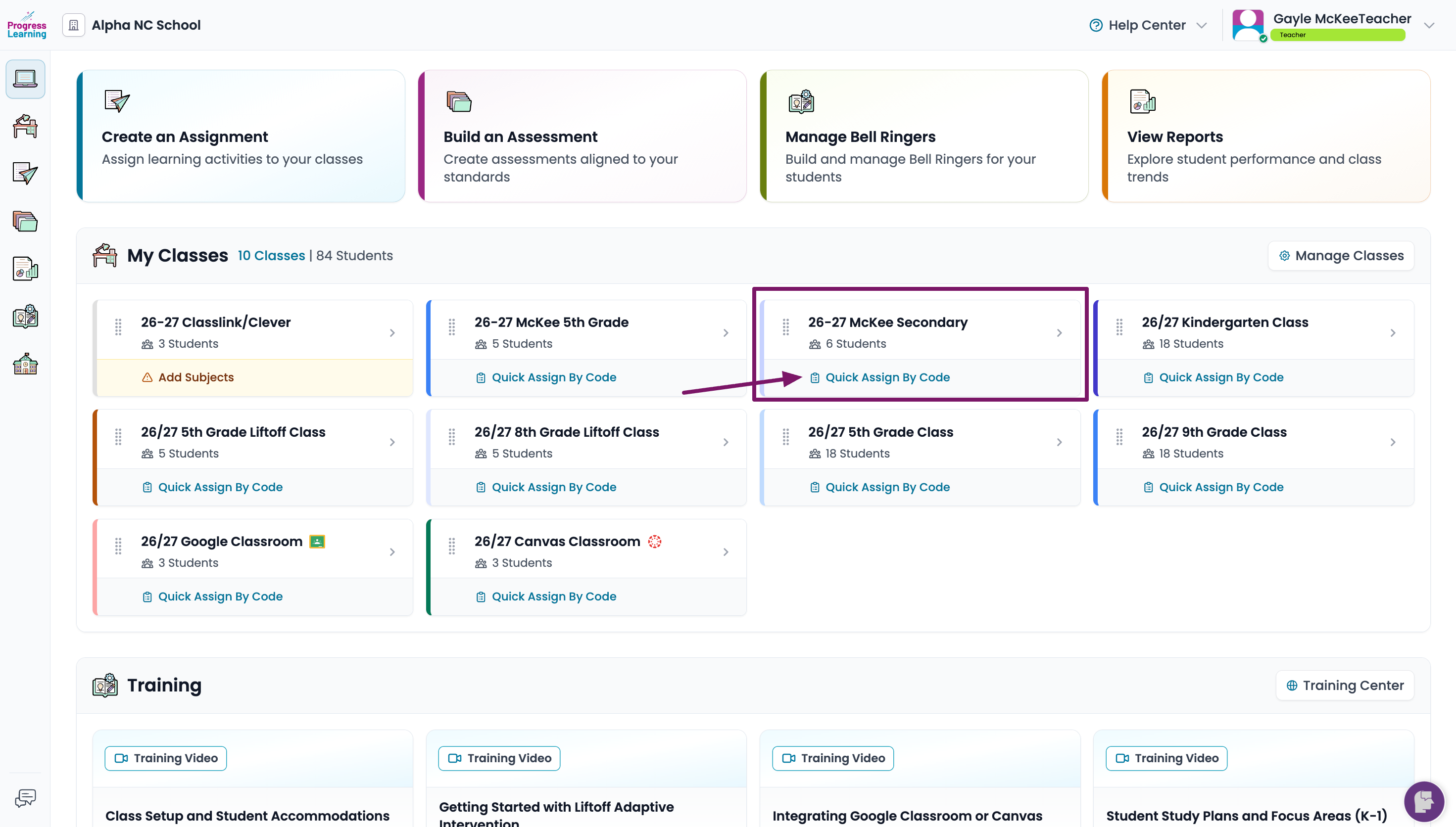
- Return to your dashboard, find the class for which you want to assign the assessment and click on the Quick Assign by Code option.
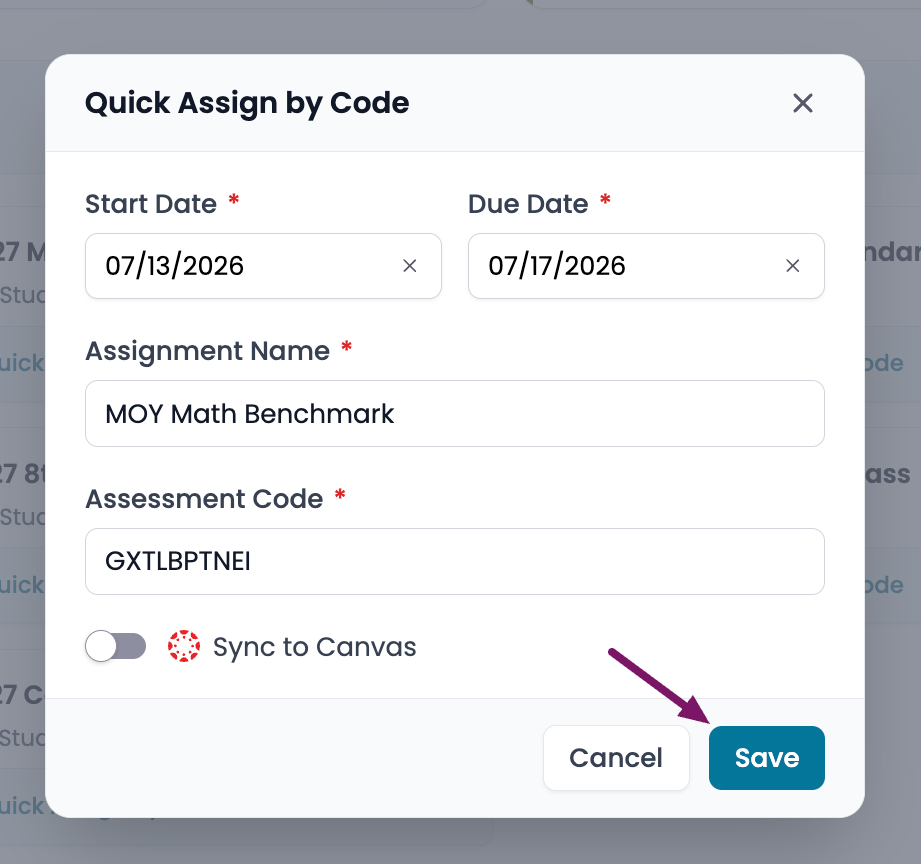
- From the pop up menu, fill in all of the fields. You can name the assessment whatever you would like. Click on Save
If you have not created an assessment to assign to your students, click here to learn how to create an assessment and assign to your class.
